
Templates. One tap, one payment.
A template is a coloured square at the top of the create screen. It holds a whole payment: tap it, and the form fills in, or the payment is created right away.
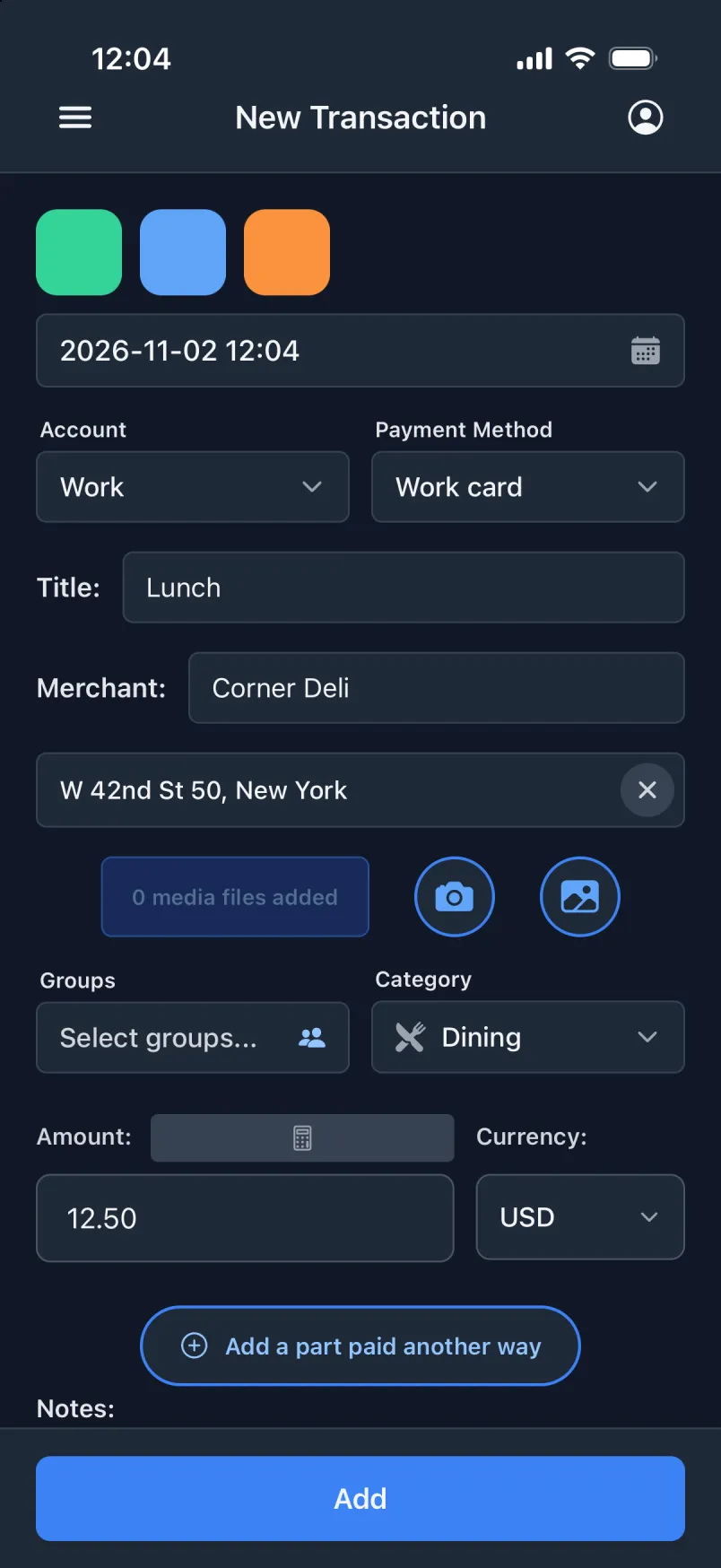
Two ways to tap
- Fill the form
- The form fills in from the template, and you check it before you tap Add. If you already typed something yourself, you are asked before it is replaced.
- Create right away
- The payment is saved the moment you tap, and a green banner is the only sign. It needs an amount on a transaction, and a payer on a shared expense or an incoming payment.
What a template remembers
- Account, payment method, title, merchant, amount, currency, category, groups and receipt lines.
- The time: the moment you tap, or a fixed time on the day you tap, like lunch at 11:30.
- The place: wherever you are when you tap, or always the same place.
- A colour of its own, so you find it without reading.
Where they live
- Each create screen has its own: transactions, shared expenses and incoming payments.
- Press and hold a square to edit its template.
- Make, reorder and delete them under Settings → Templates.
- The squares work offline. Making and changing templates needs a connection.
Made for what nothing else catches
Lunch paid with your work ID card is not Apple Pay, so no automation sees it. With a template that creates right away, it is one tap a day.