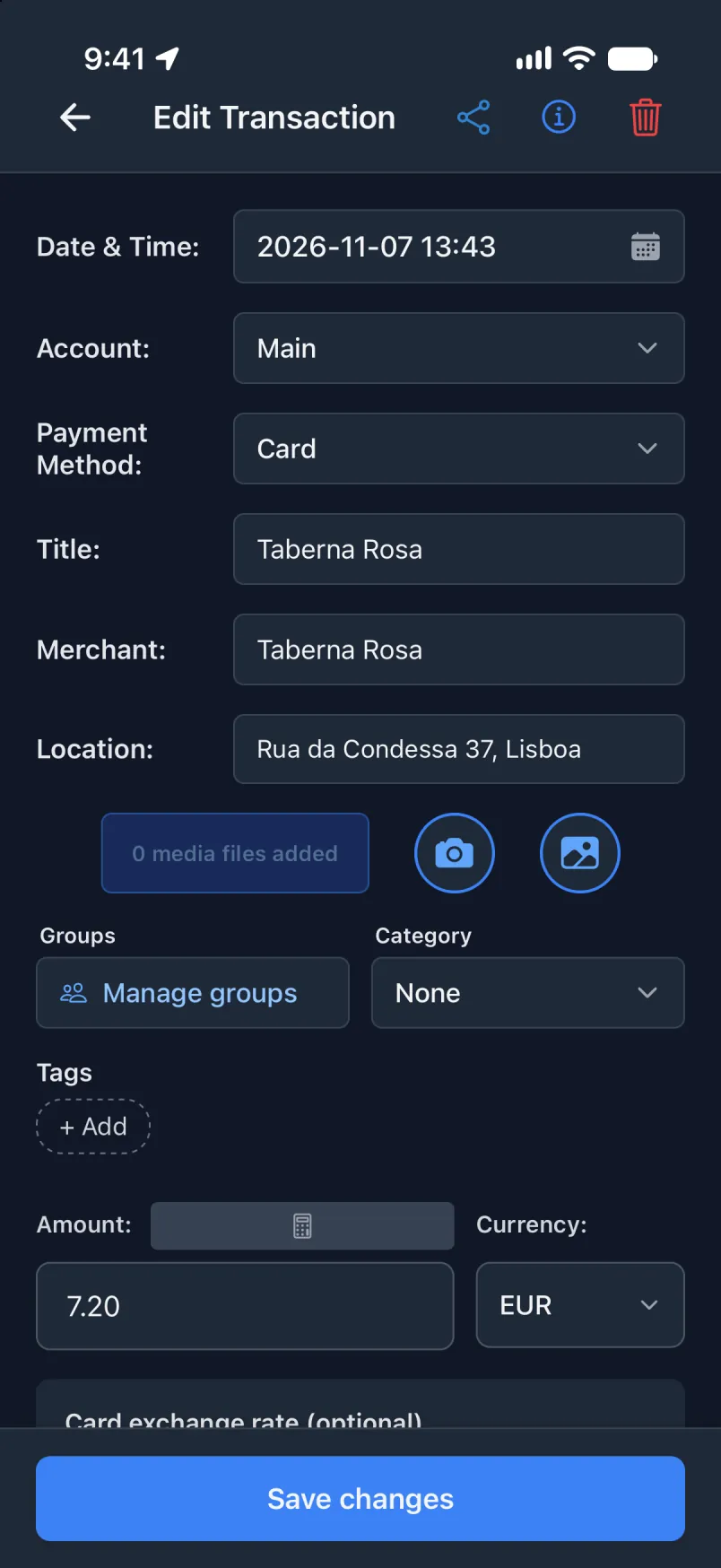
Qqen Transaction ɣer Shortcuts, asurif ɣer usurif.
Kkuẓ n tiwurmanin, s yal agdil deg ubrid: amezwaru ayen ara txedmeḍ deg usnas Transaction, sakin amek ilaq ad d-yili Shortcut s ddqiqa, u di taggara abanir azegzaw mi ara yeddu.
Tiwlafin n ugdil d tid n iOS 27, s Tanglizt. S tutlayt nniḍen, tiqeffalin n Apple sɛant ismawen nniḍen, maca llant deg yiwen n wadeg. Tigawin n Transaction sɛant ismawen-nni kan s Tanglizt ɣef yal tilifun.
Ma ur yeddu ara yiwen n usurif, Shortcut ad yeḥbes s ususem. Ulac izen, u kullec ɣef usexleṣ-nni ad iṛuḥ.
Ɣeṛ acu i t-yeǧǧan ur yeddu araApple Wallet, ɣef umiḍan-ik Main
Txelleṣeḍ s usit, u asexleṣ yettwasnulfu deg ugilal, asnas yemdel. Ad yili dinna tikkelt i d-iteddun ara tldiḍ asnas.
Deg usnas Transaction
Ldi umuɣ, sit ɣef Iɣewwaṛen, sakin ɣef Apple Pay Shortcut.
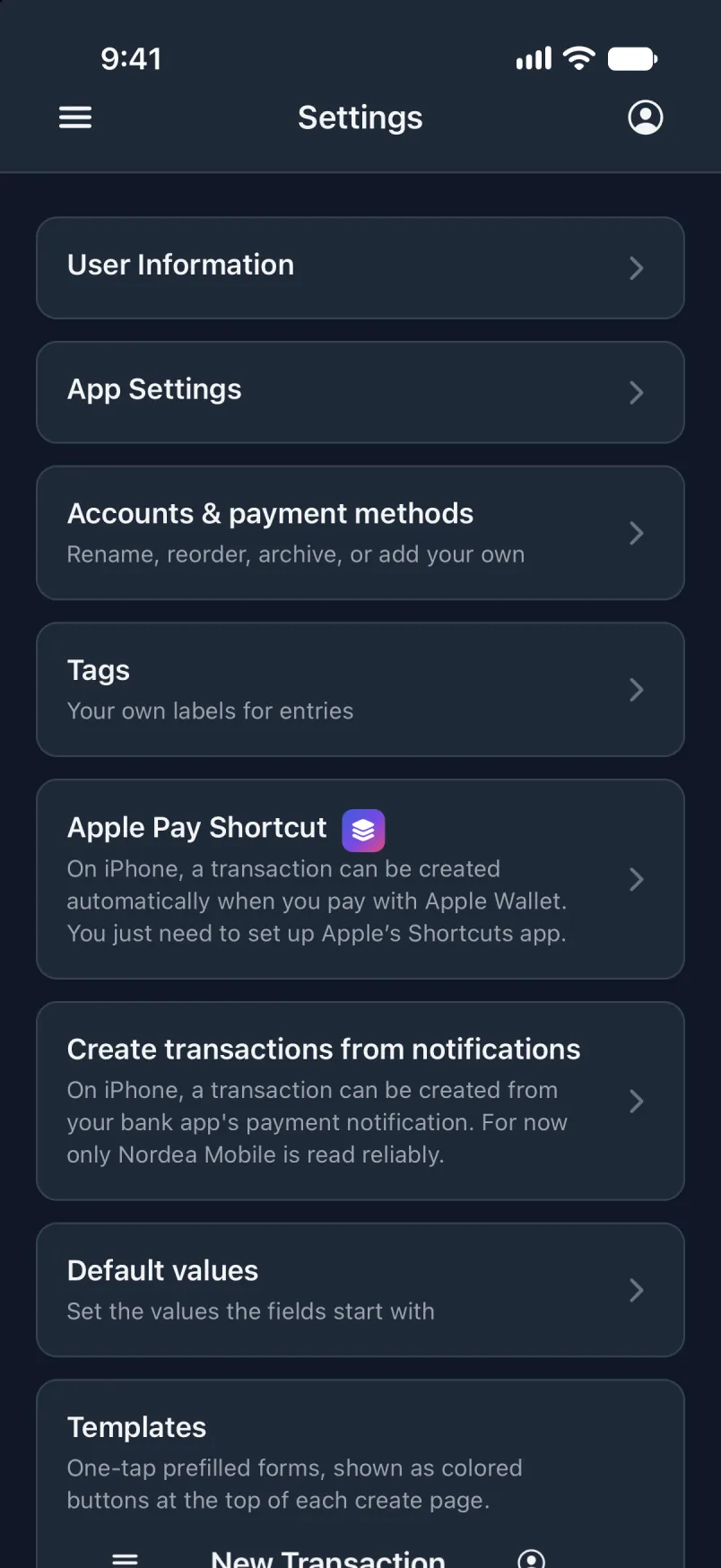
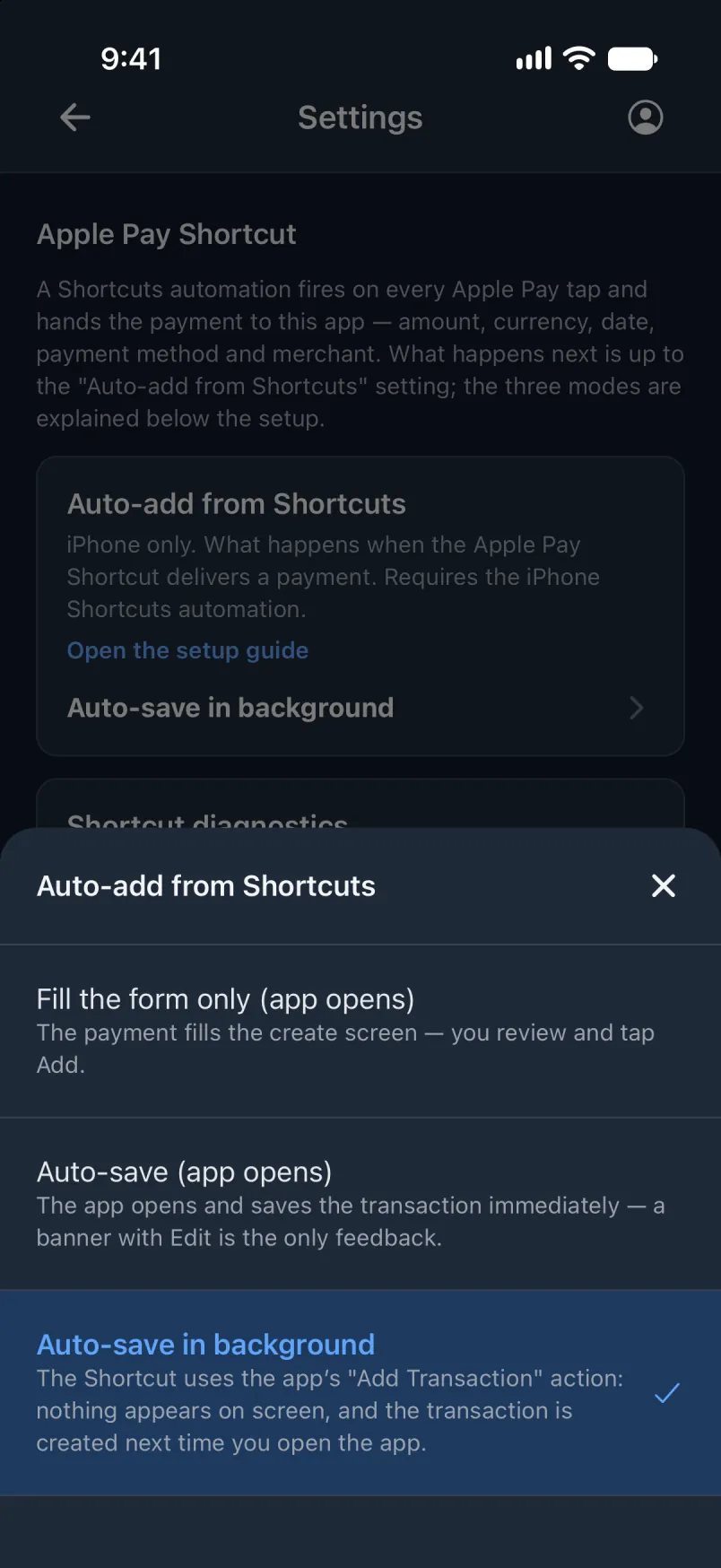
Seddaw Rnu srid seg Shortcuts, fren Sekles srid deg ugilal.
Deg Shortcuts
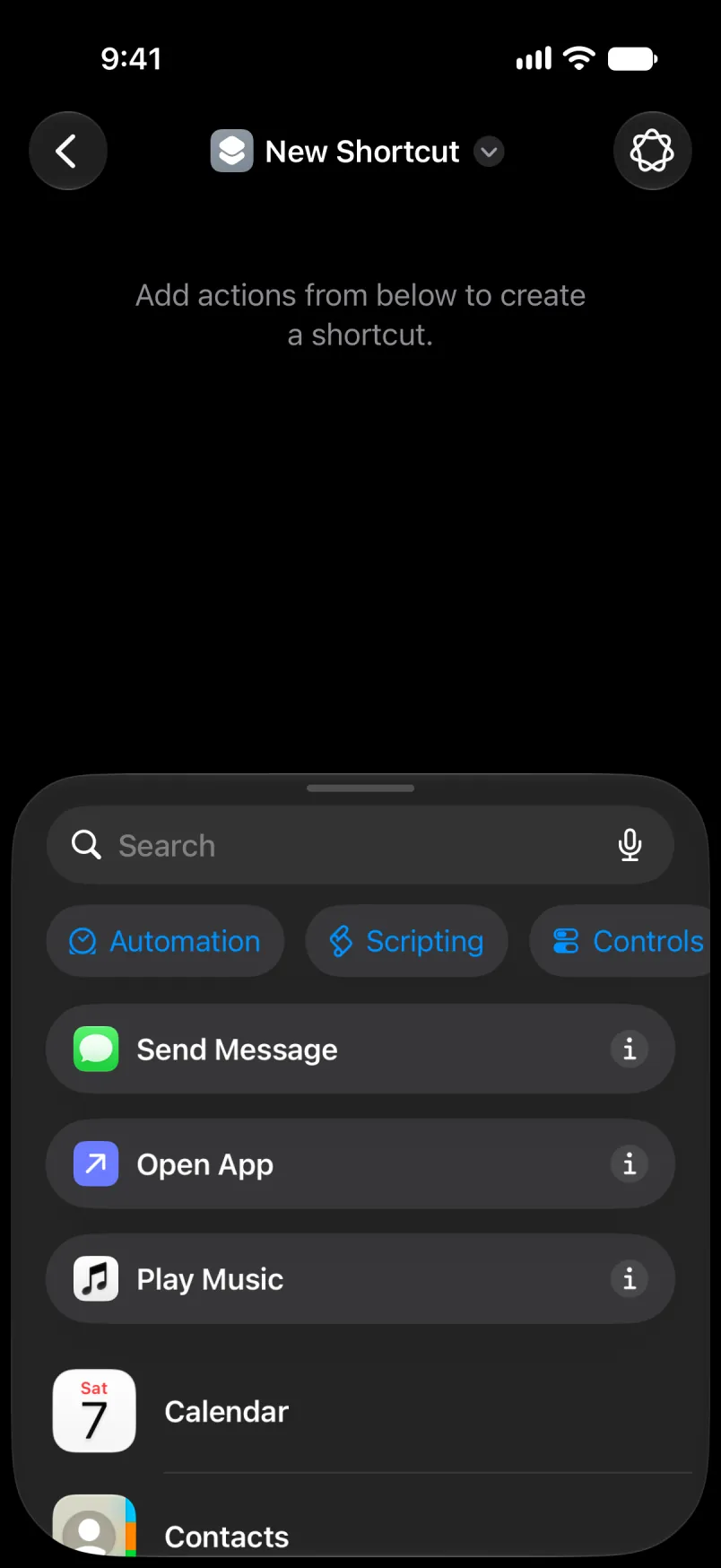
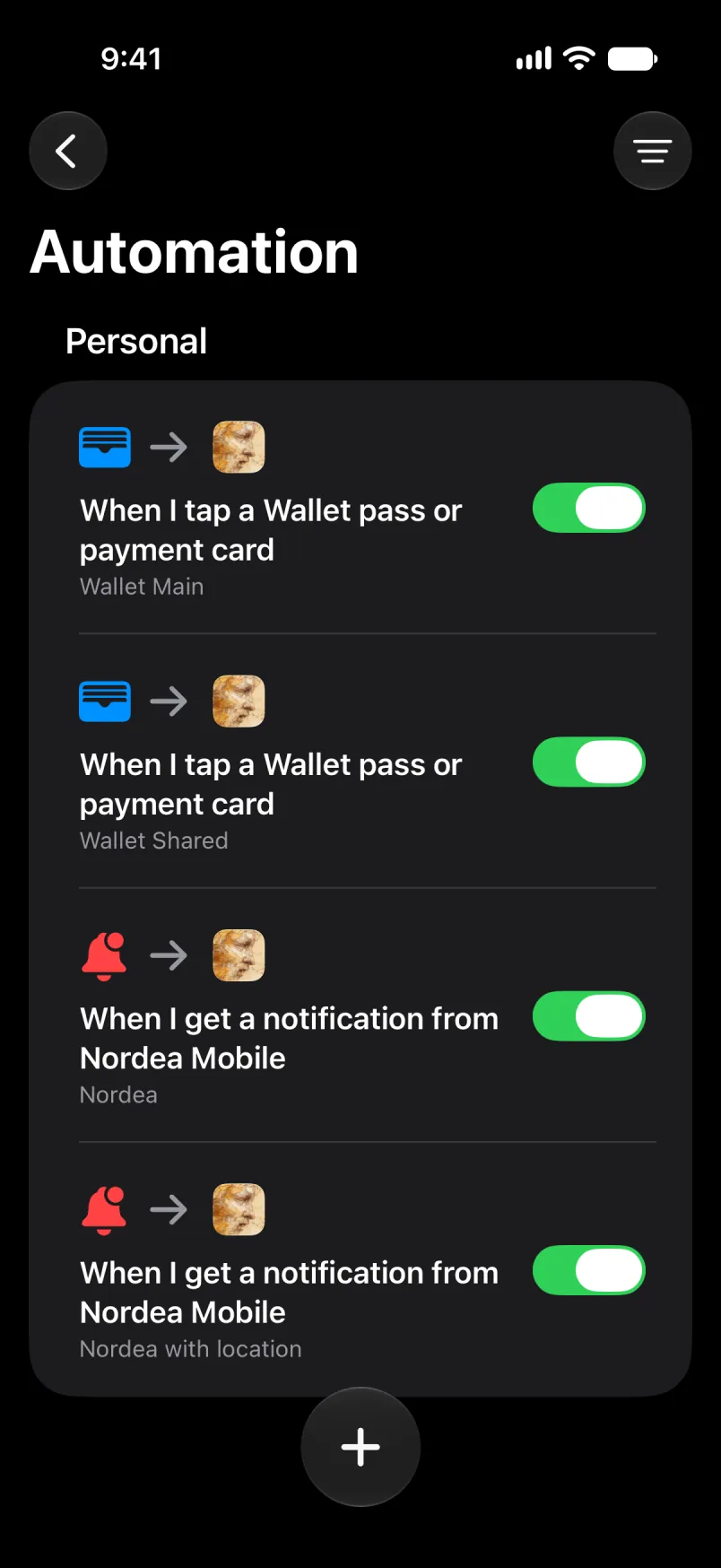
Ldi Shortcuts. Sit ɣef Library, sakin ɣef Automation, sakin ɣef tqeffalt +.
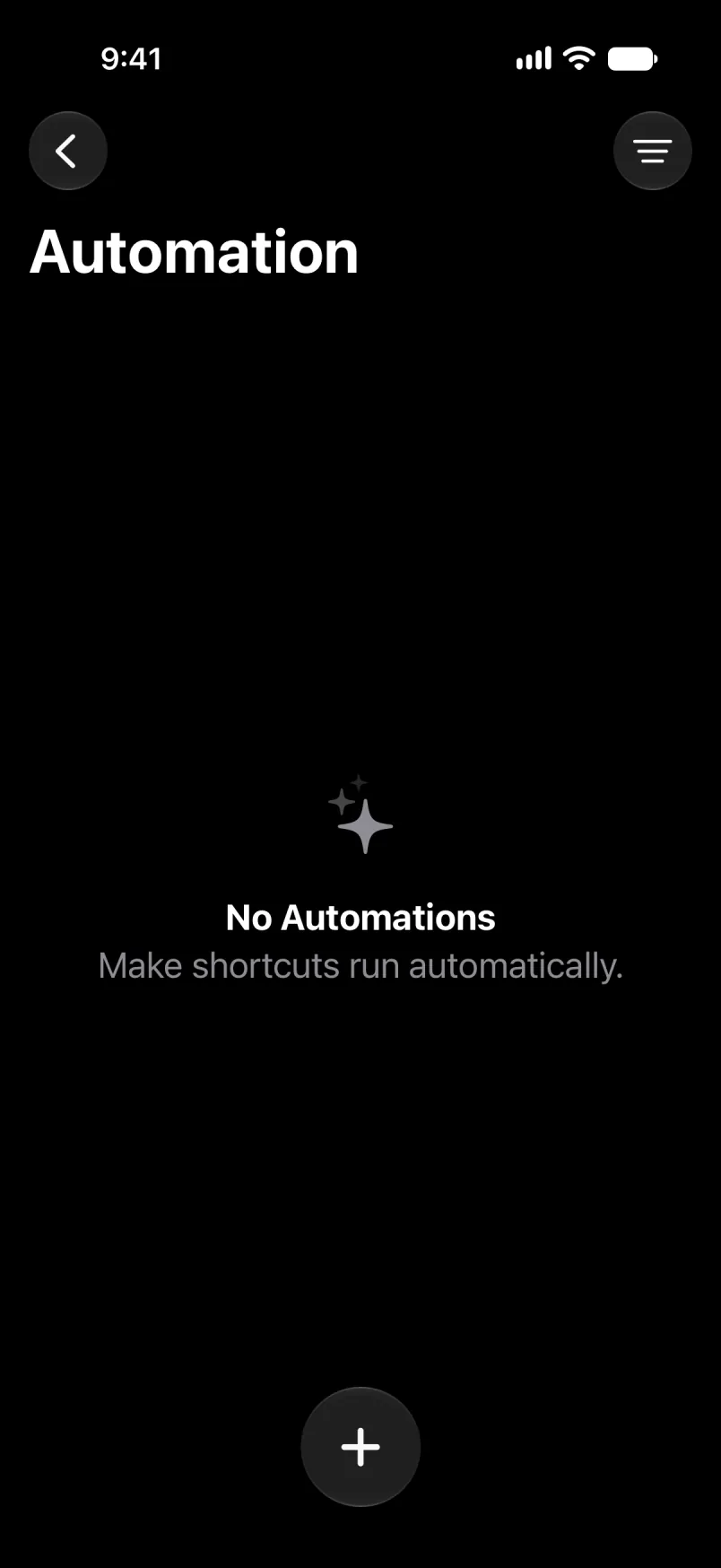
Ma yessuter-ak ad d-tessegzeḍ Shortcut, sit ɣef Edit deg uqeṛṛu. Sit ɣef Search, sakin ɣef tqeffalt tanilit Automation.
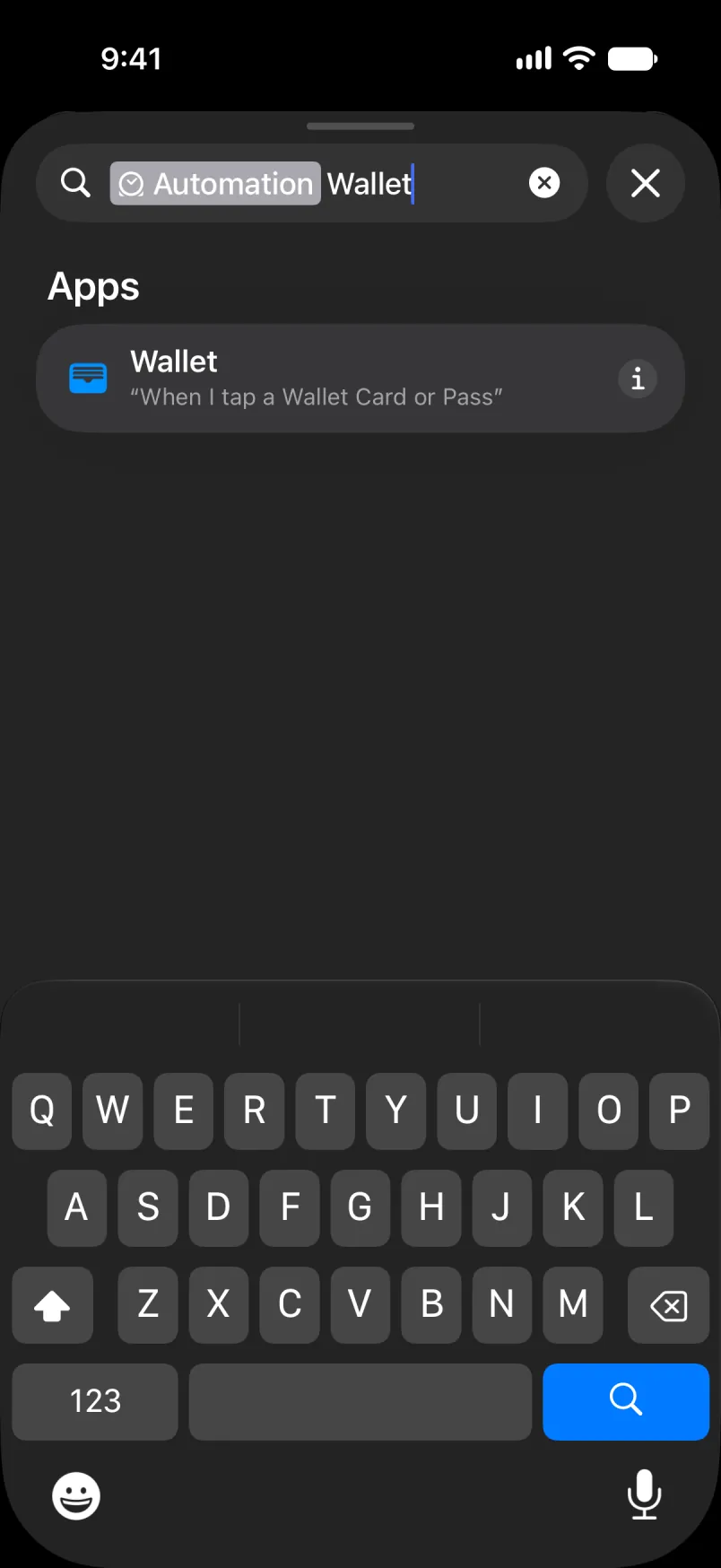
Aru Wallet u sit fell-as.
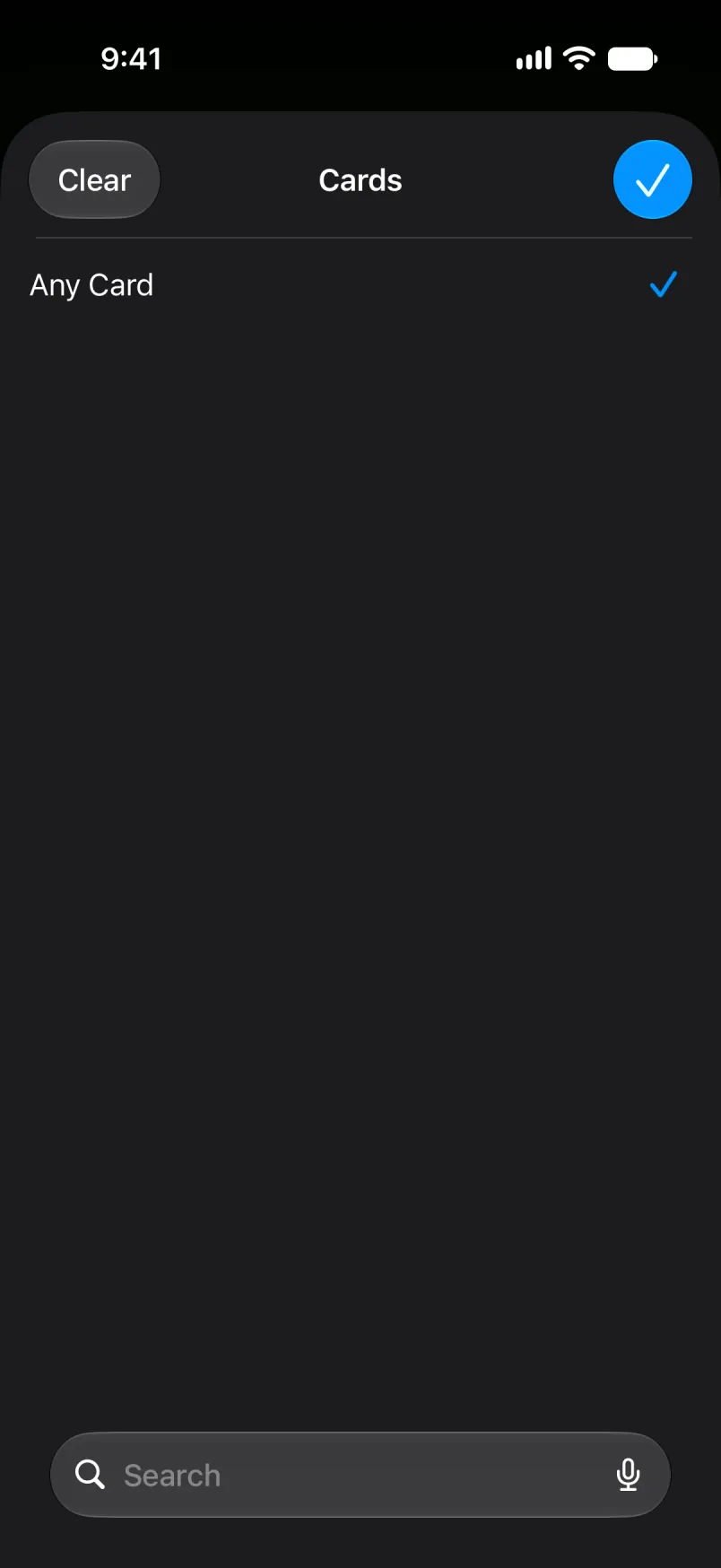
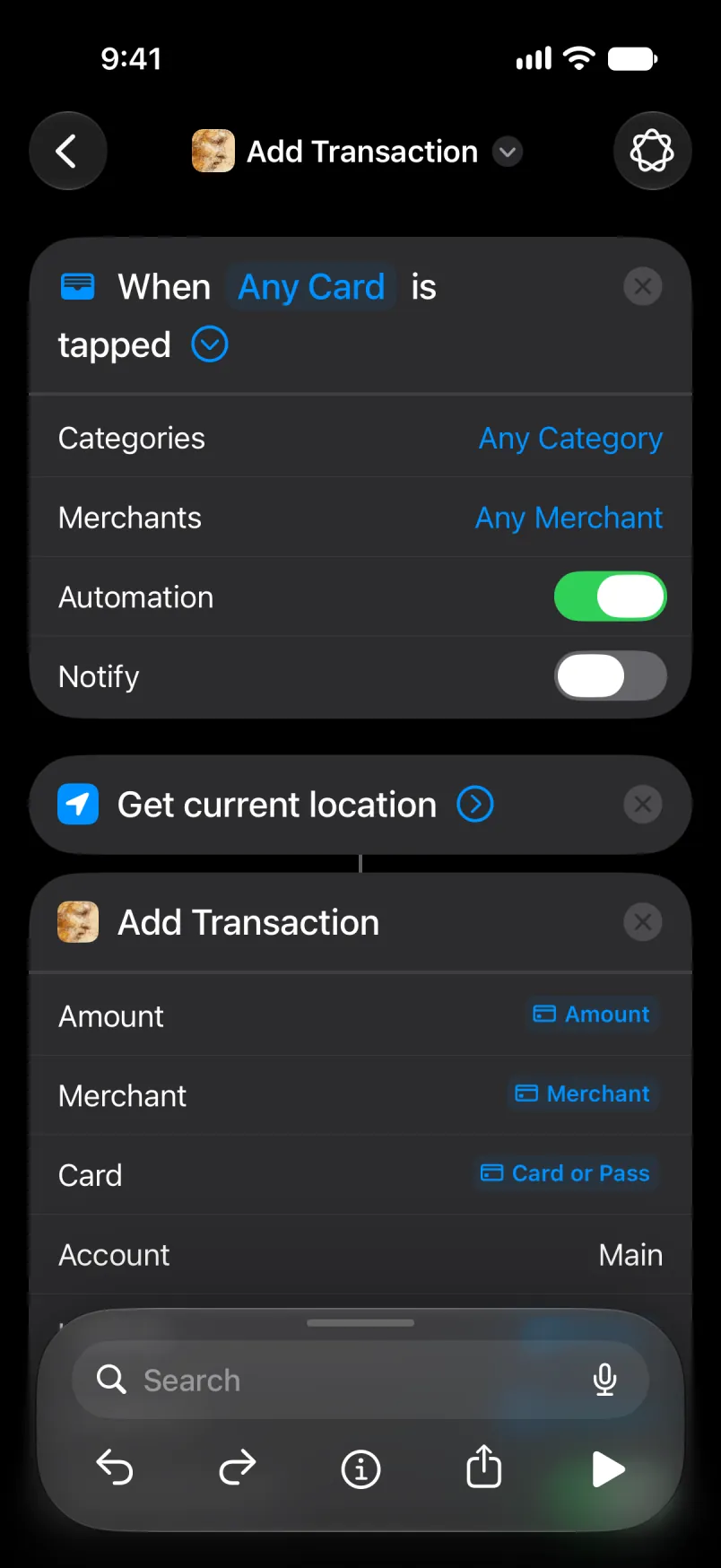
Sit ɣef Any Card u creḍ takarḍa i yellan i tawurmant-agi. Tikarḍiyin-ik llant da. Tilifun-agi n uɛraḍ ur tesɛi yiwet.
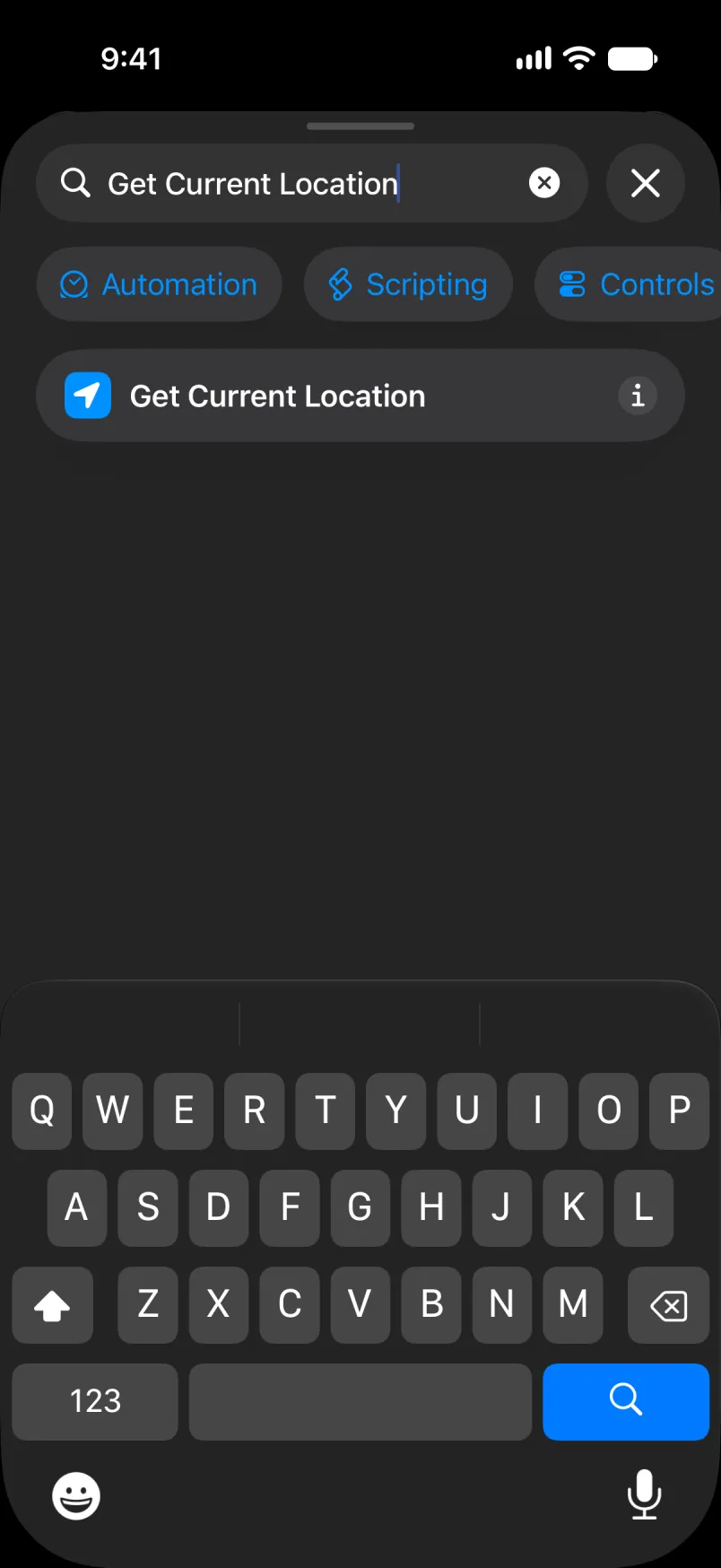
Sit ɣef Search, aru Get Current Location u sit fell-as. Ulac iɣewwaṛen deg-s.
Nadi ɣef Add Transaction u sit ɣef umezwaru.
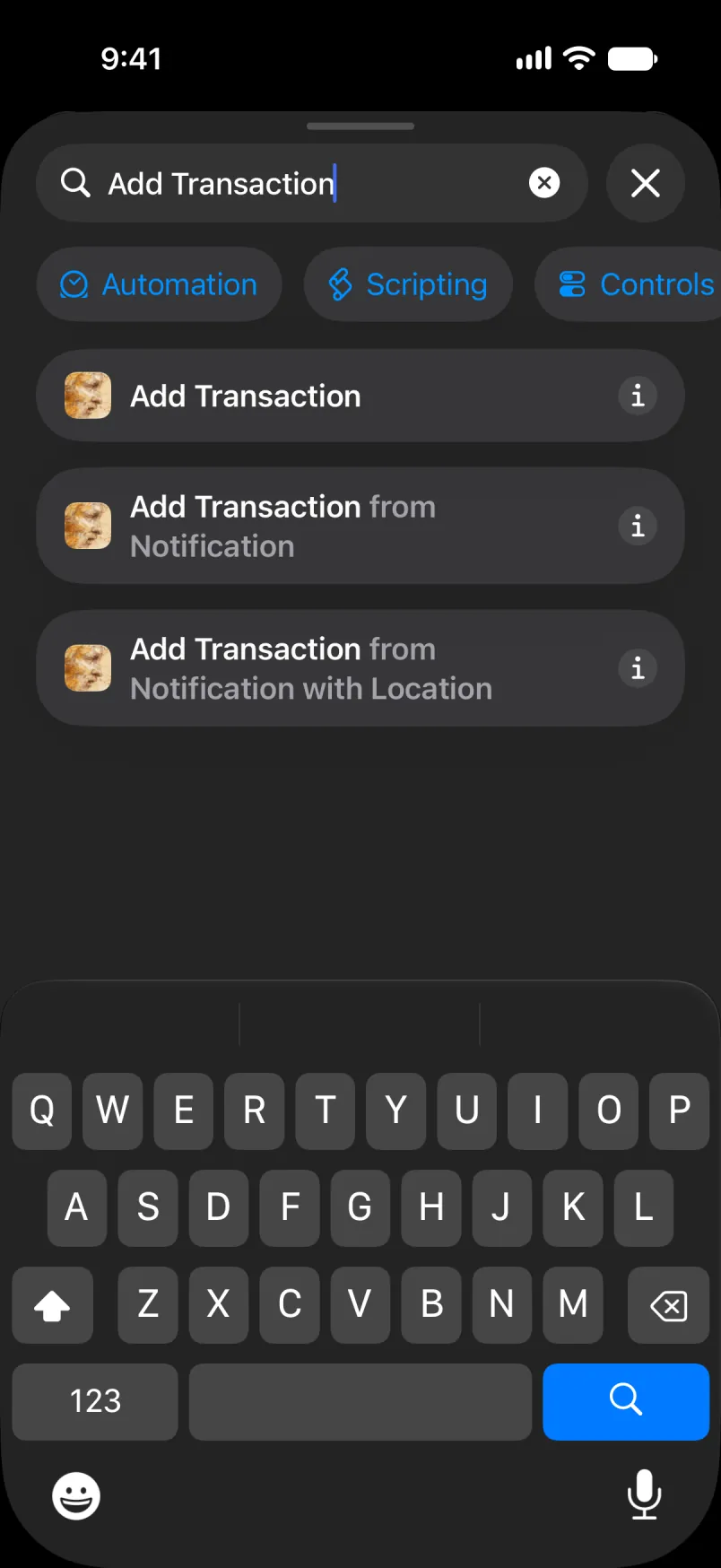
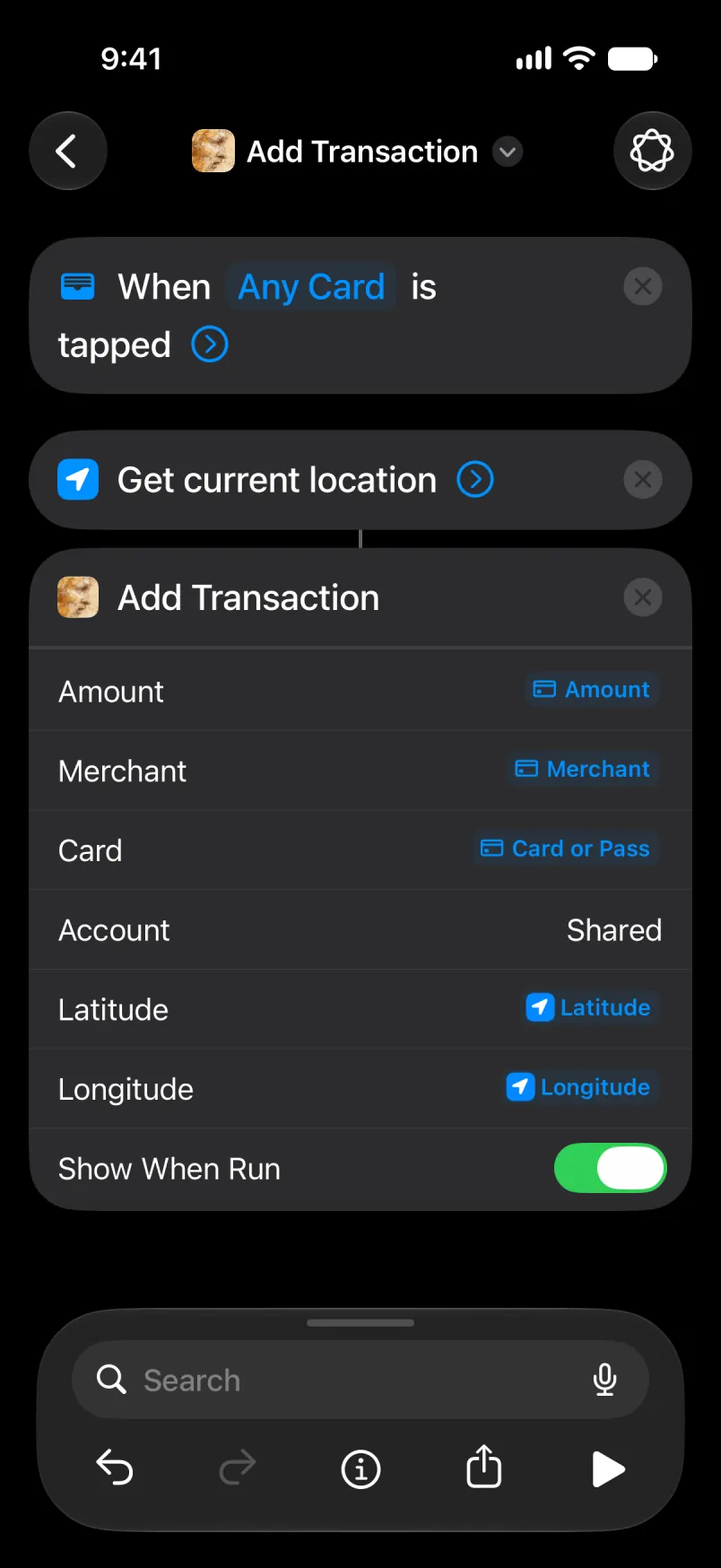
Sit ɣef Amount, sakin Select Variable, sakin Transaction. Sit ɣef wawal anili deg uzirig u fren Amount. Xdem am wakken i Merchant, d i Card s Card or Pass.
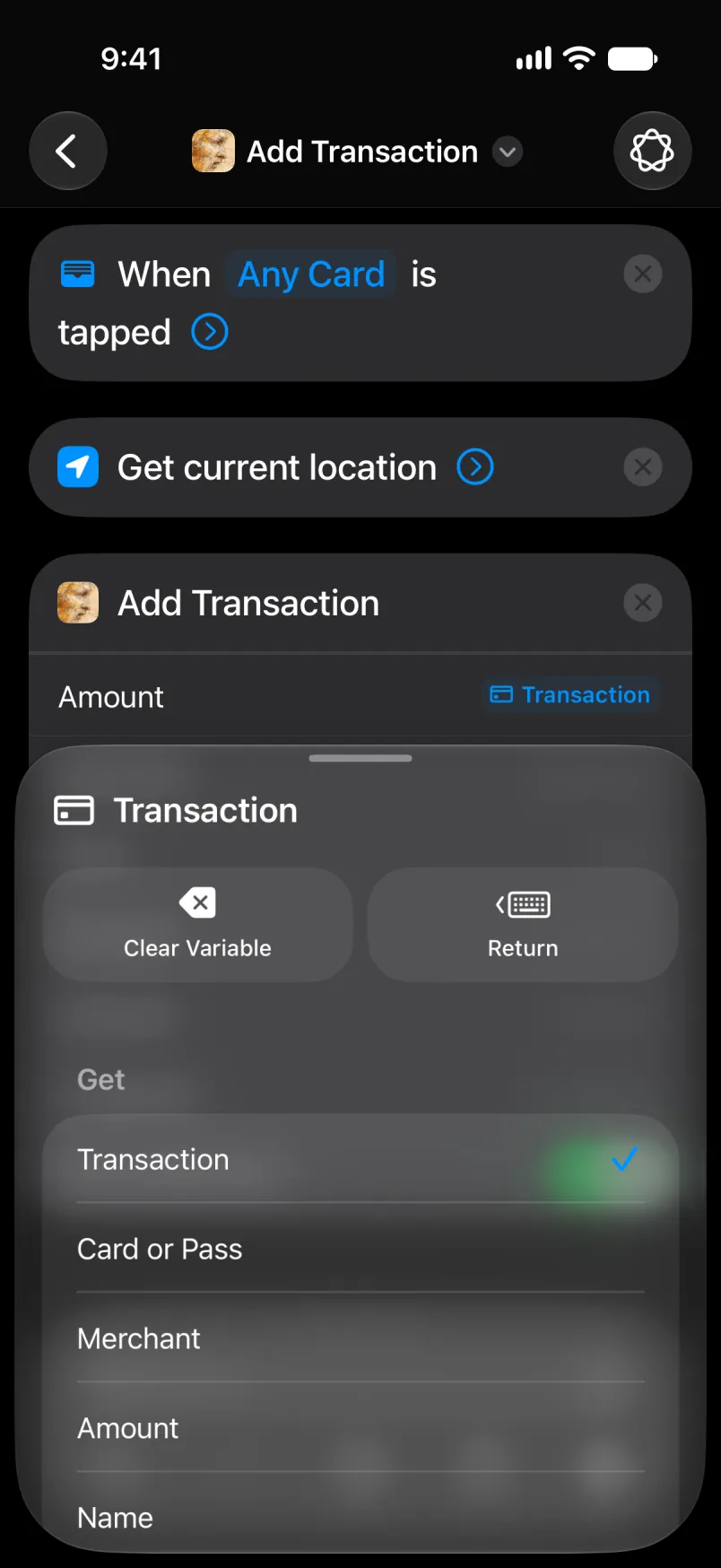
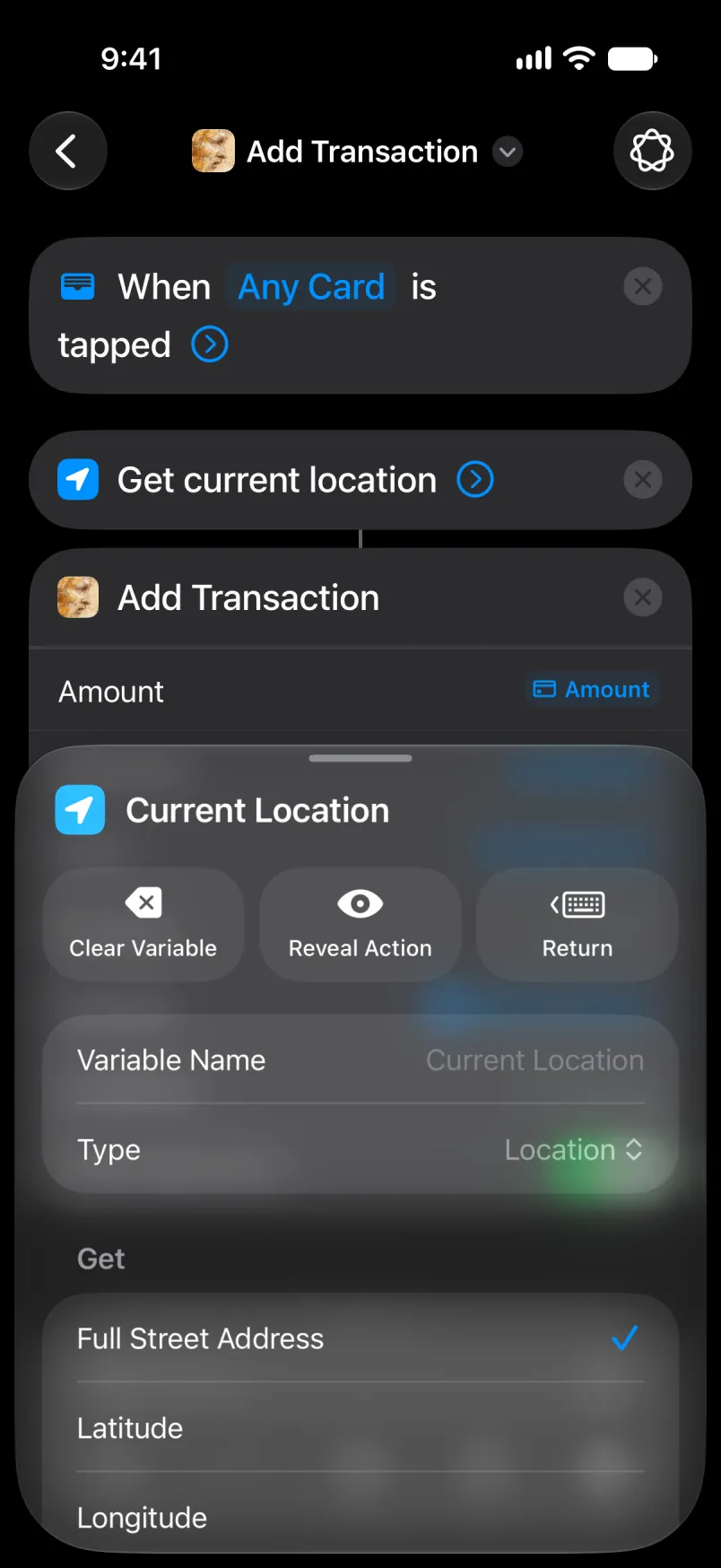
Sit ɣef Latitude, sakin Select Variable, sakin Current Location. Sit ɣef wawal anili u fren Latitude. Xdem am wakken i Longitude.
Deg Account, aru Main ma tebɣiḍ ad ttwarun ixellaṣen ɣef umiḍan-ik Main.
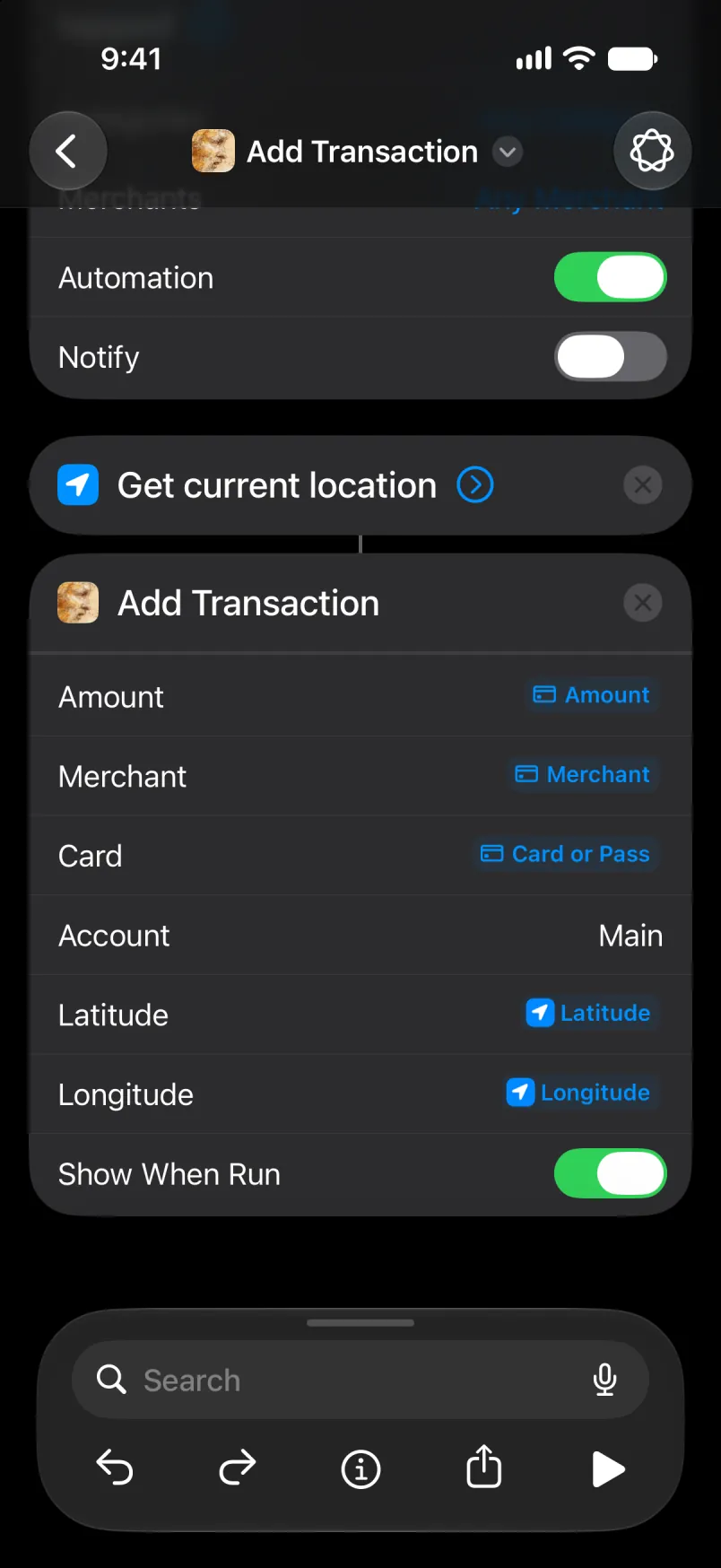
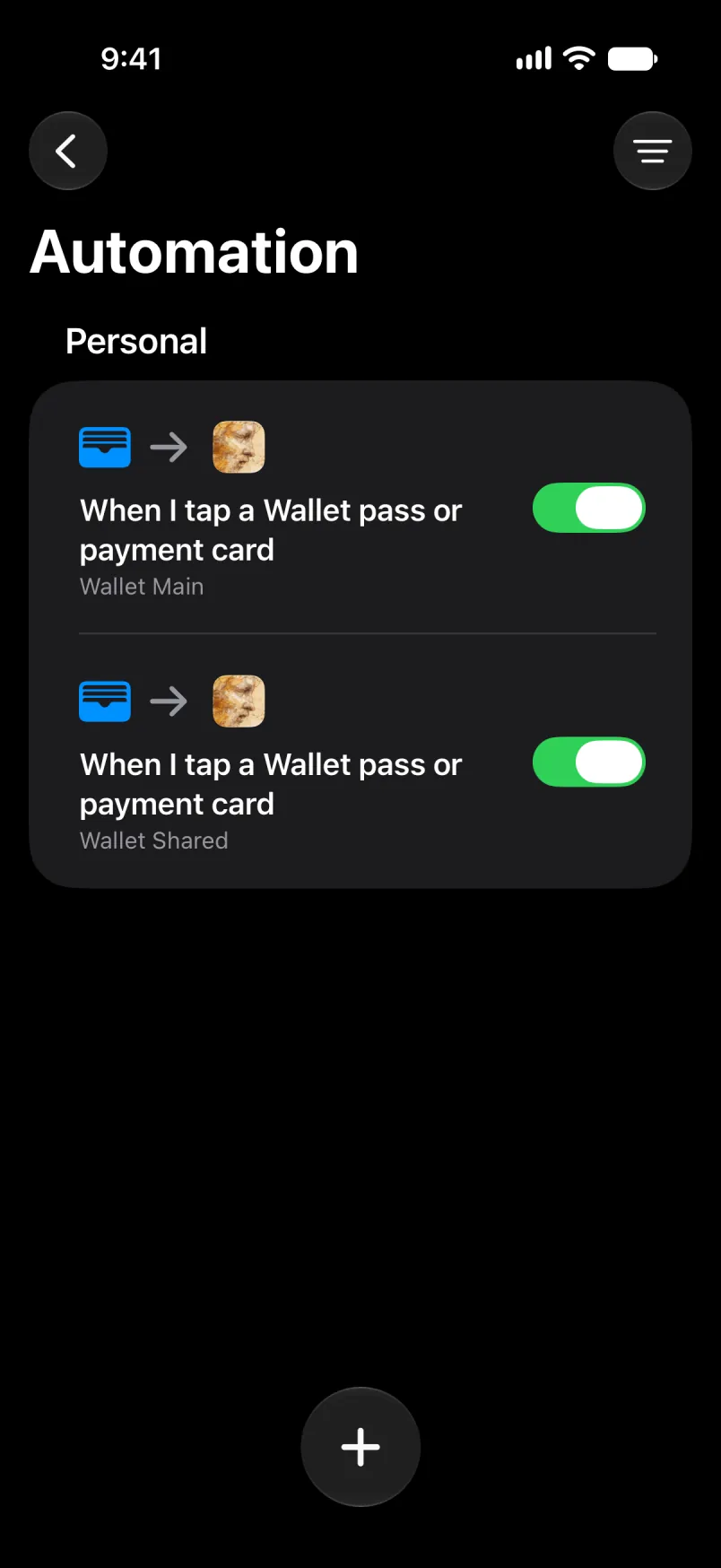
Tawurmant akk, seg ufella. Eǧǧ Any Category d Any Merchant akken llan, u eǧǧ Automation yettwarmed. Sit ɣef yisem akken ad t-tbeddleḍ, d taneccabt deg uzelmaḍ afella akken ad teskelseḍ. Tawurmant tamaynut ad d-tban deg tebdert.
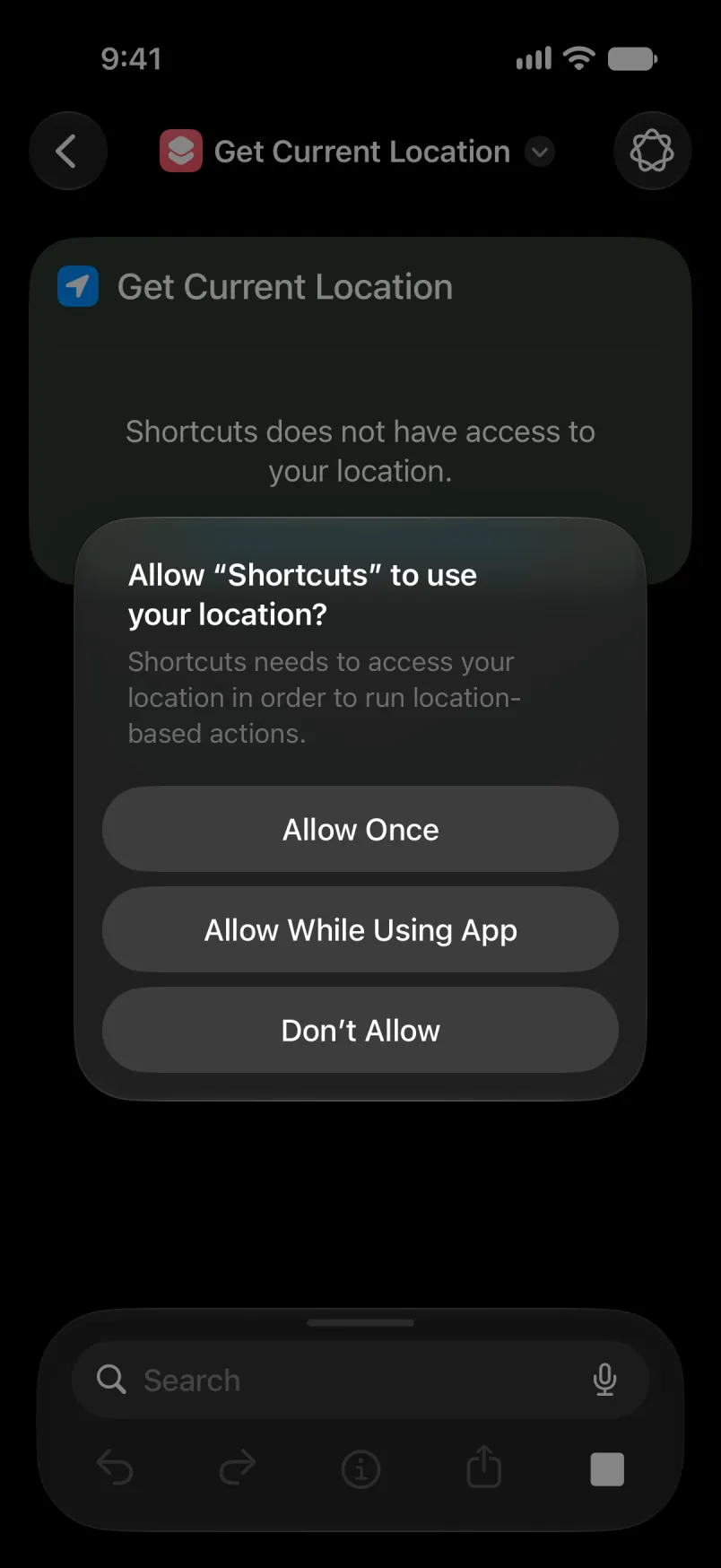
Tikkelt tamezwarut mi ara yessuter Shortcut adeg-ik, sit ɣef Allow While Using App.
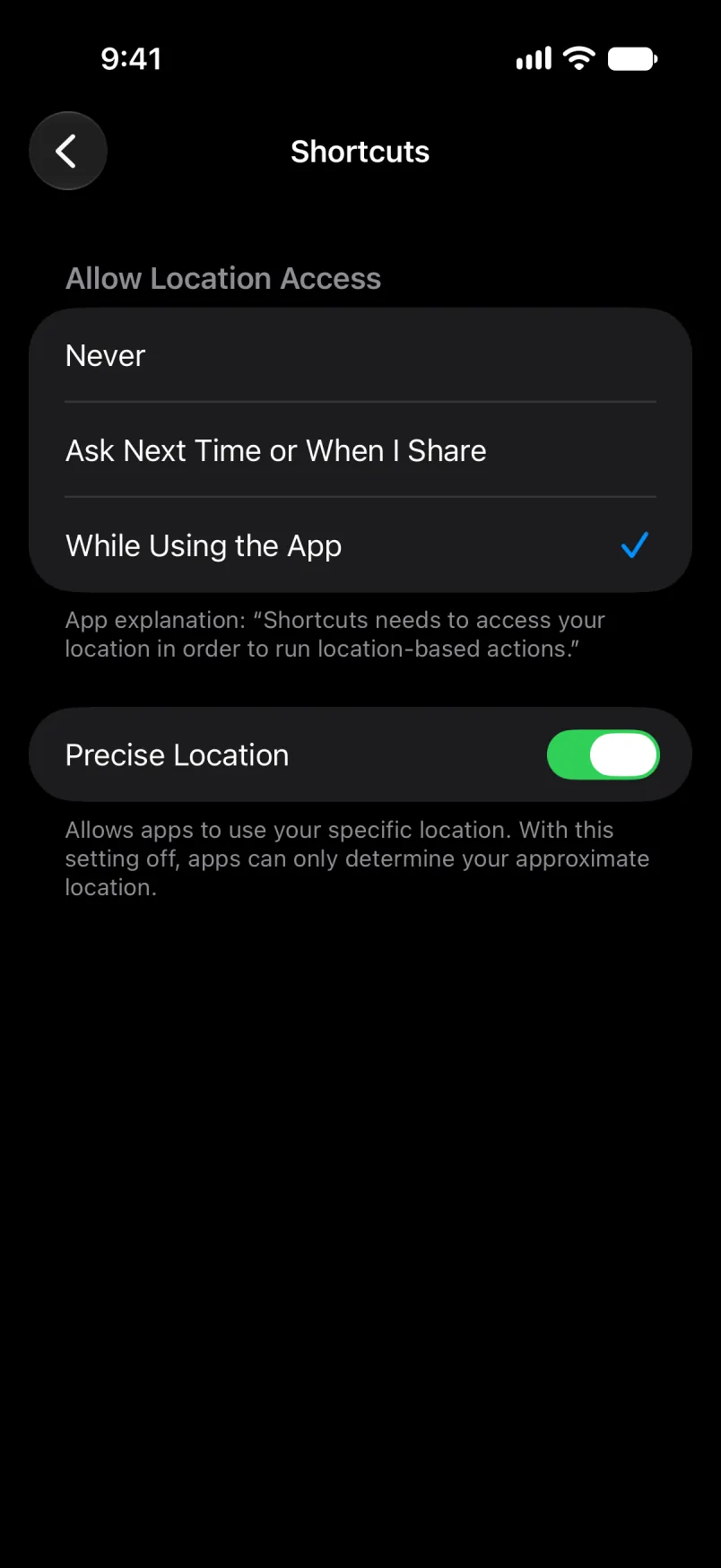
Tzemreḍ ad t-tesfeqdeḍ deg Iɣewwaṛen n iPhone: Privacy & Security, Location Services, Shortcuts. Eǧǧ Precise Location yettwarmed, neɣ adeg ad yili s uqarib kan.
Eǧǧ Account ixwi i umiḍan-ik n lexṣas, neɣ aru isem n umiḍan. I Main d Shared, aru isem s Tanglizt, ula ma yella usnas-ik s tutlayt nniḍen. Isem yettwasuqlen, am Primær s Tadanemarkit, ur yemṣad ara ma tbeddleḍ tutlayt n usnas ɣer deffir: axelleṣ ad yeṛṛ ɣer umiḍan-ik n lexṣas, s yisem ddaw Talɣut yettwasekcmen. Amiḍan i tesnulfuḍ s yiman-ik yesɛa yiwen n yisem, win i s-tefkiḍ.
Mi ara yeddu
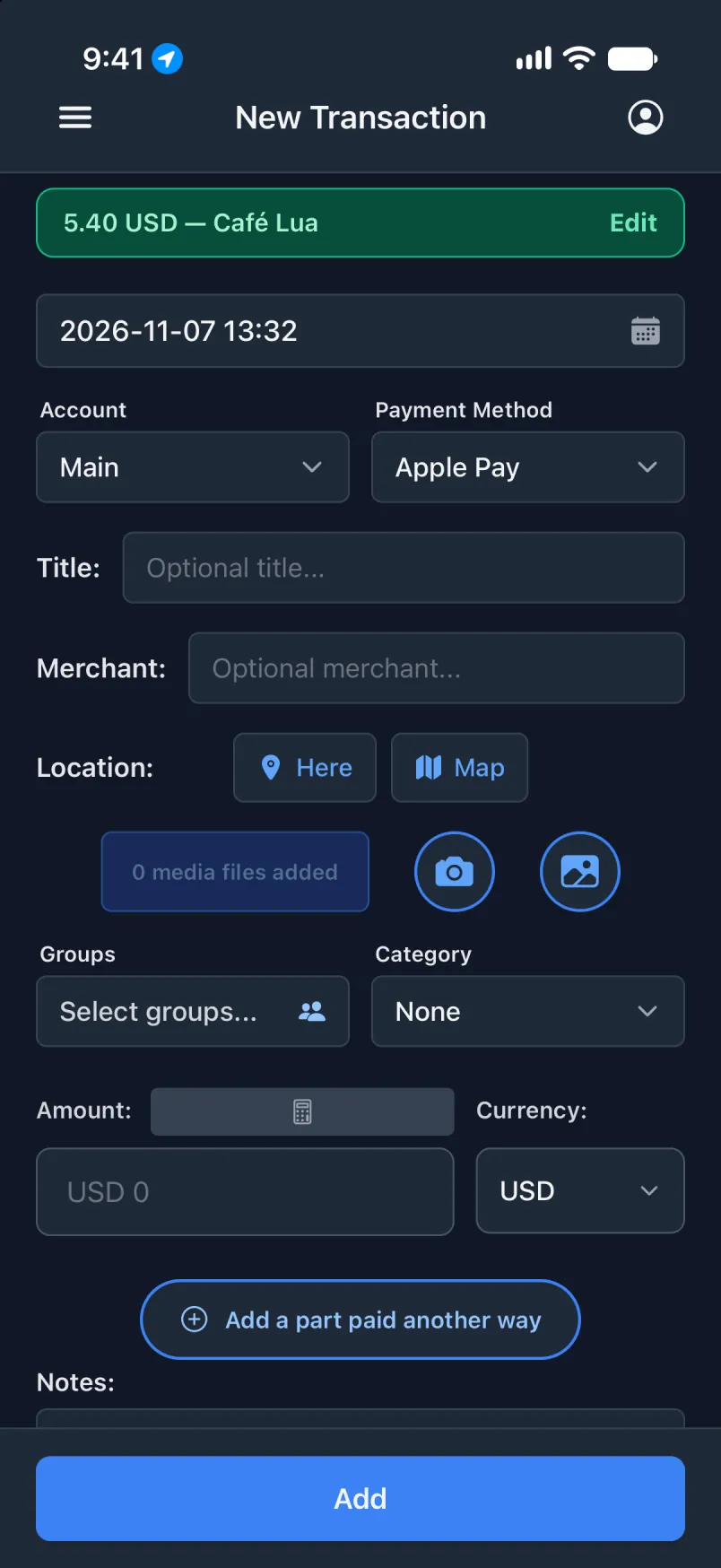
Ldi asnas seld ma txellṣeḍ. Abanir azegzaw yesken axelleṣ, u Edit yeldi-t.
Tawurmant n Wallet ur tezmir ara ad tettwarmed s ufus, ihi axelleṣ amecṭuḥ yellan s tidet d uɛraḍ. Rmed Notify mi ara tɛerḍeḍ: d yiwen kan n tcreḍt i d-yeskanen belli tawurmant tedda.
Am wakken, ɣef umiḍan-ik Shared
Efk i yal takarḍa tawurmant-is, u ixellaṣen-is ad ruḥen ɣer umiḍan ṣeḥḥan. D aswel n ufella s snat n tbeddilin: takarḍa-agi kan i yettwacreḍen, u Account yeqqar Shared.
Deg usnas Transaction
Iɣewwaṛen, Imiḍanen d wamek i txellṣeḍ, ad d-sken imiḍanen-ik. Isem deg tawurmant ilaq ad yemṣad d yiwen seg-sen.
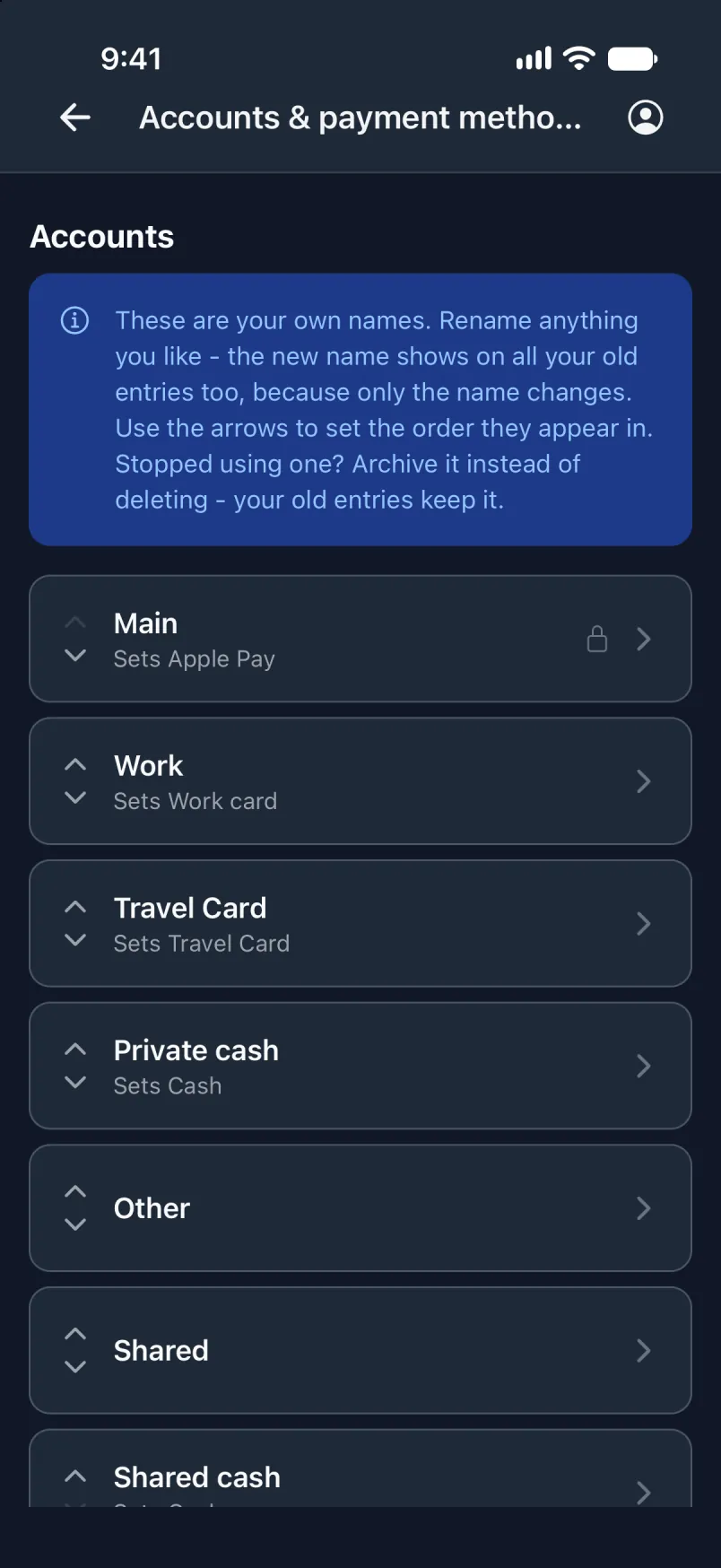
Deg Shortcuts
Snulfu-tt am wakken i d-yella ufella. Ddaw Any Card, creḍ kan takarḍa Shared. Deg Account, aru Shared ma tebɣiḍ ad ttwarun ixellaṣen ɣef umiḍan-ik Shared, u sit ɣef taneccabt deg uzelmaḍ afella akken ad teskelseḍ.
Tawurmant tamaynut ad d-tban deg tebdert. Ldi tawurmant-ik tamezwarut u kkes tacreḍt n tkarḍa-agi dinna: takarḍa yettwacreḍen deg snat n tiwurmanin ad tsekles yal axelleṣ snat n tikkal.
Eǧǧ Account ixwi i umiḍan-ik n lexṣas, neɣ aru isem n umiḍan. I Main d Shared, aru isem s Tanglizt, ula ma yella usnas-ik s tutlayt nniḍen. Isem yettwasuqlen, am Primær s Tadanemarkit, ur yemṣad ara ma tbeddleḍ tutlayt n usnas ɣer deffir: axelleṣ ad yeṛṛ ɣer umiḍan-ik n lexṣas, s yisem ddaw Talɣut yettwasekcmen. Amiḍan i tesnulfuḍ s yiman-ik yesɛa yiwen n yisem, win i s-tefkiḍ.
Mi ara yeddu
Abanir azegzaw-nni kan.
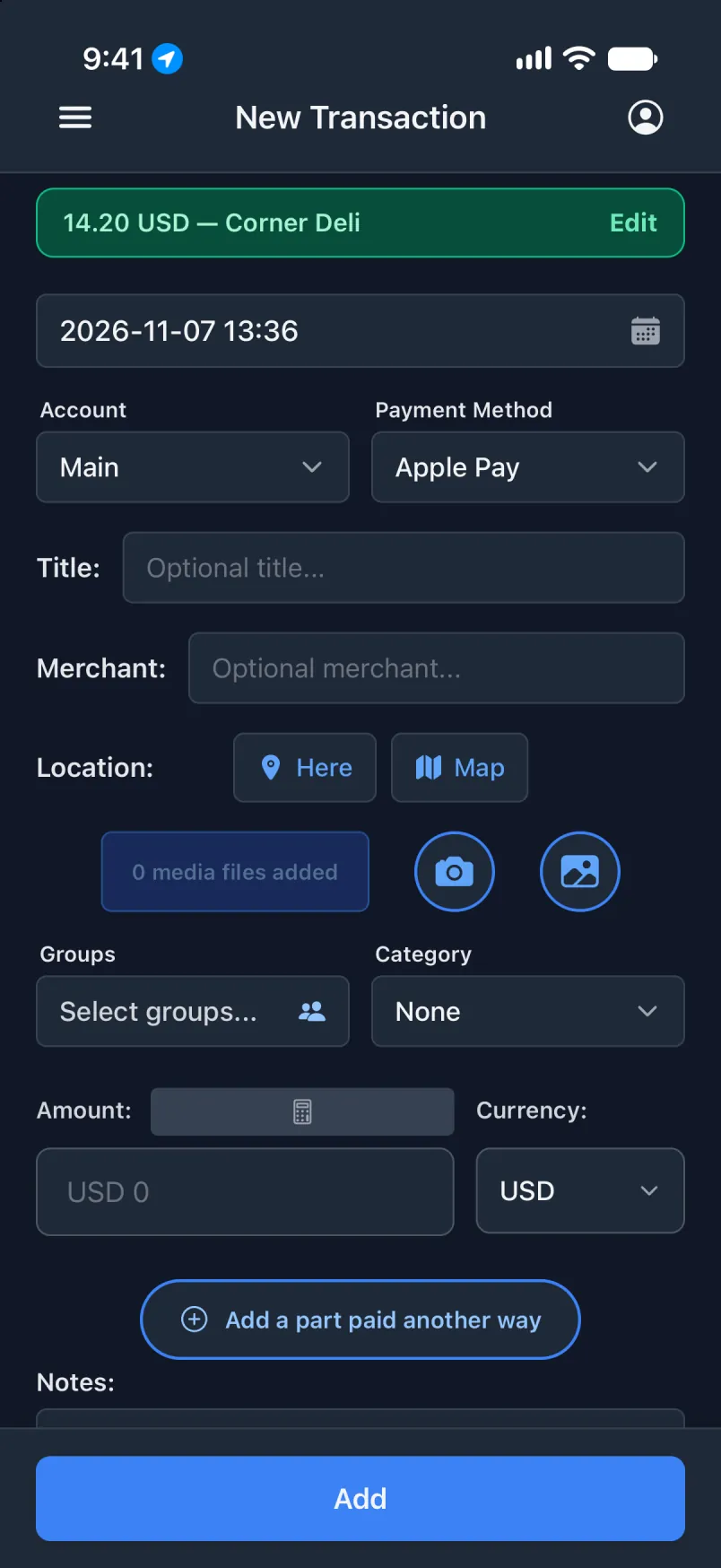
Sit ɣef Edit akken ad t-tesfeqdeḍ: Account yeqqar Shared.
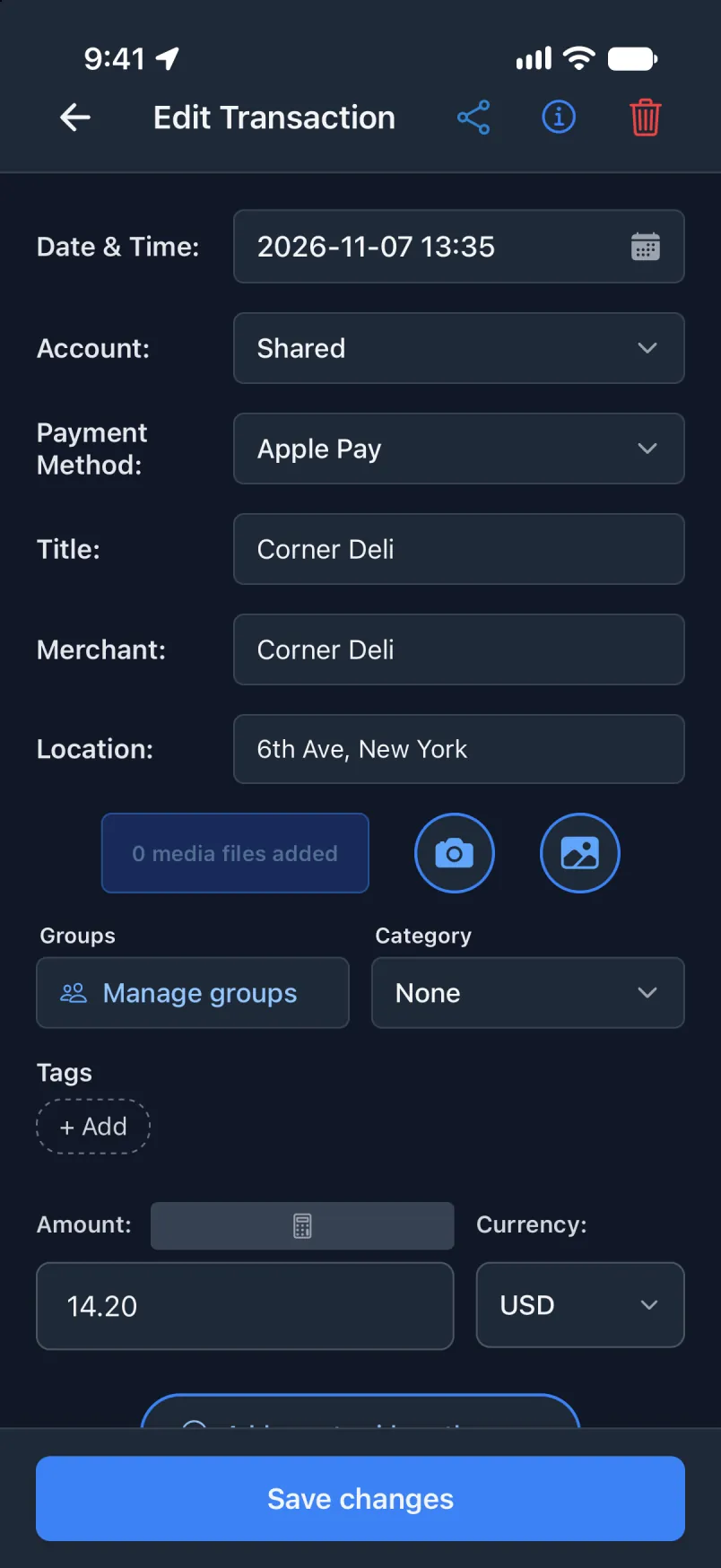
Ilɣu seg Nordea
Nordea Mobile yettazen ilɣu mi ara txelleṣeḍ s tkarḍa s wadrim n berra. Tawurmant tettefk-it i Transaction, i yeqqaren azal, adrim d tnuṭ. Ulac asurif n wadeg da, ihi ixellaṣen i yettwaxdmen ɣef Internet xedmen daɣen. Asenker Notification yesra iOS 27.
Tabanka neɣ asnas nniḍen? Yettxeddem s yiwen n wudem s General (English only) neɣ General (all languages): fren asnas-ik deg usenker u yiwen seg snat-agi ddaw Source. Ttɛerrḍent ad ɣrent yal asnas, u ad ttɣelṭent kra n tikkal.
Deg usnas Transaction
Iɣewwaṛen, Snulfu isexlaṣ seg yilɣa. Ulac ayen ara termdeḍ: asnulfu n tawurmant d ayen yelzem kan.
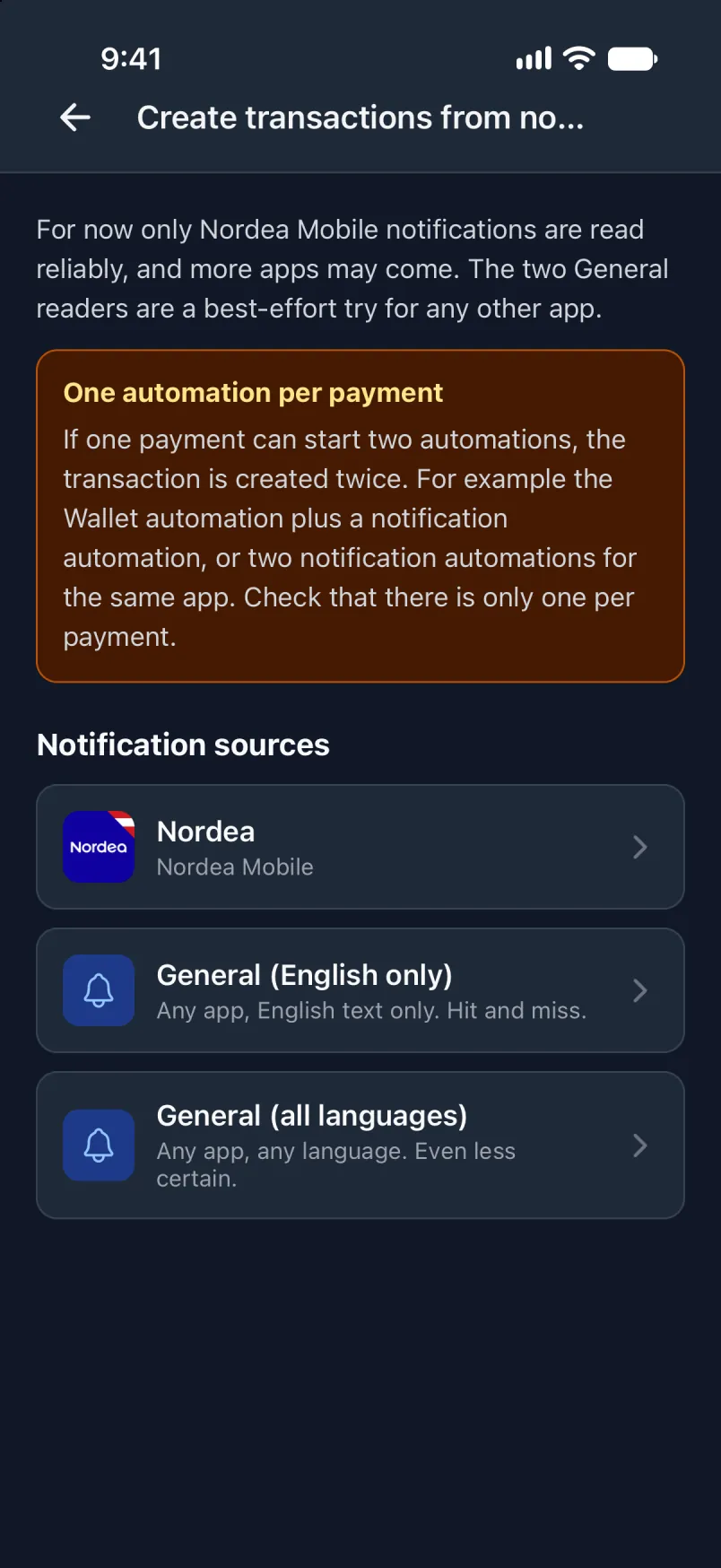
Sit ɣef Nordea akken ad twaliḍ ayen i yeqqar. Yettxeddem kan i yixellaṣen s tkarḍa s wadrim n berra.
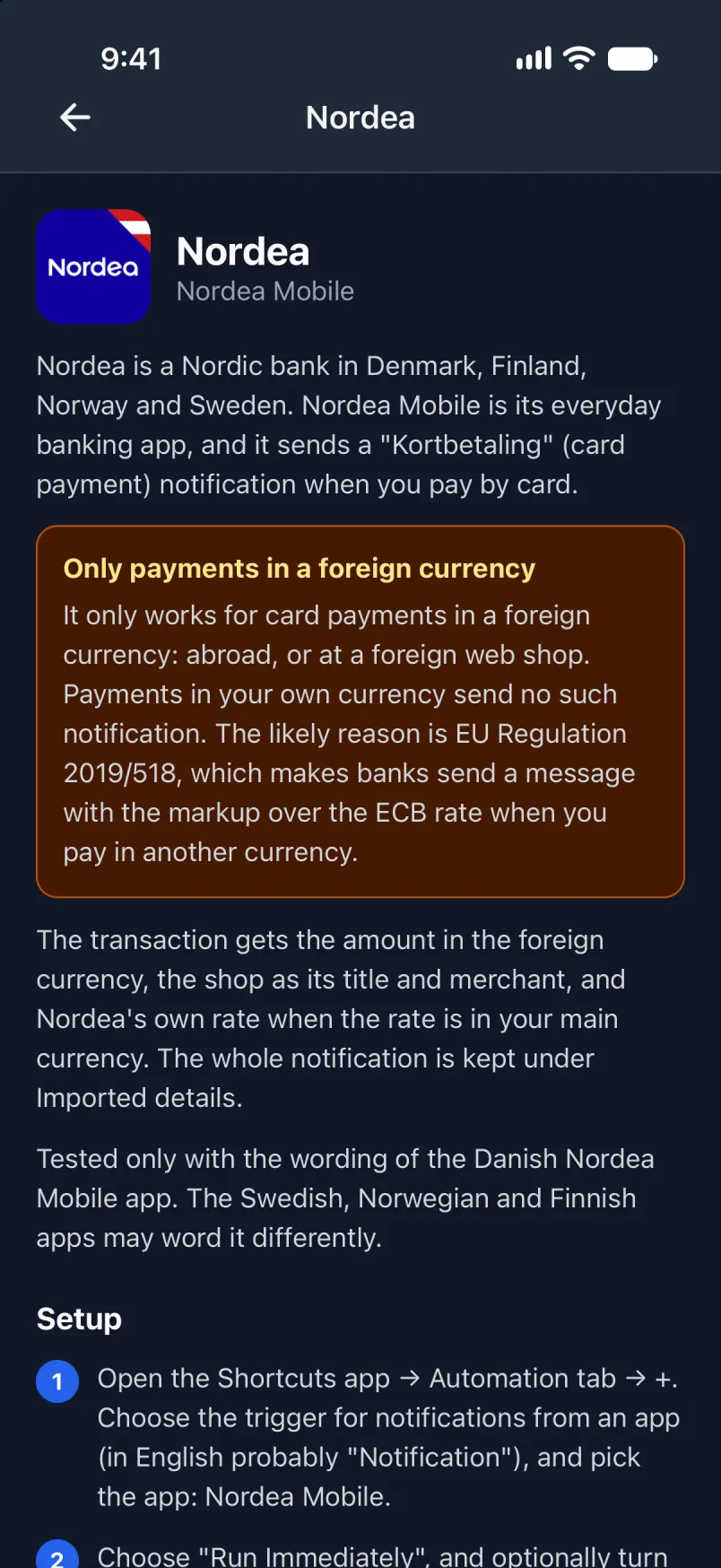
Deg Shortcuts
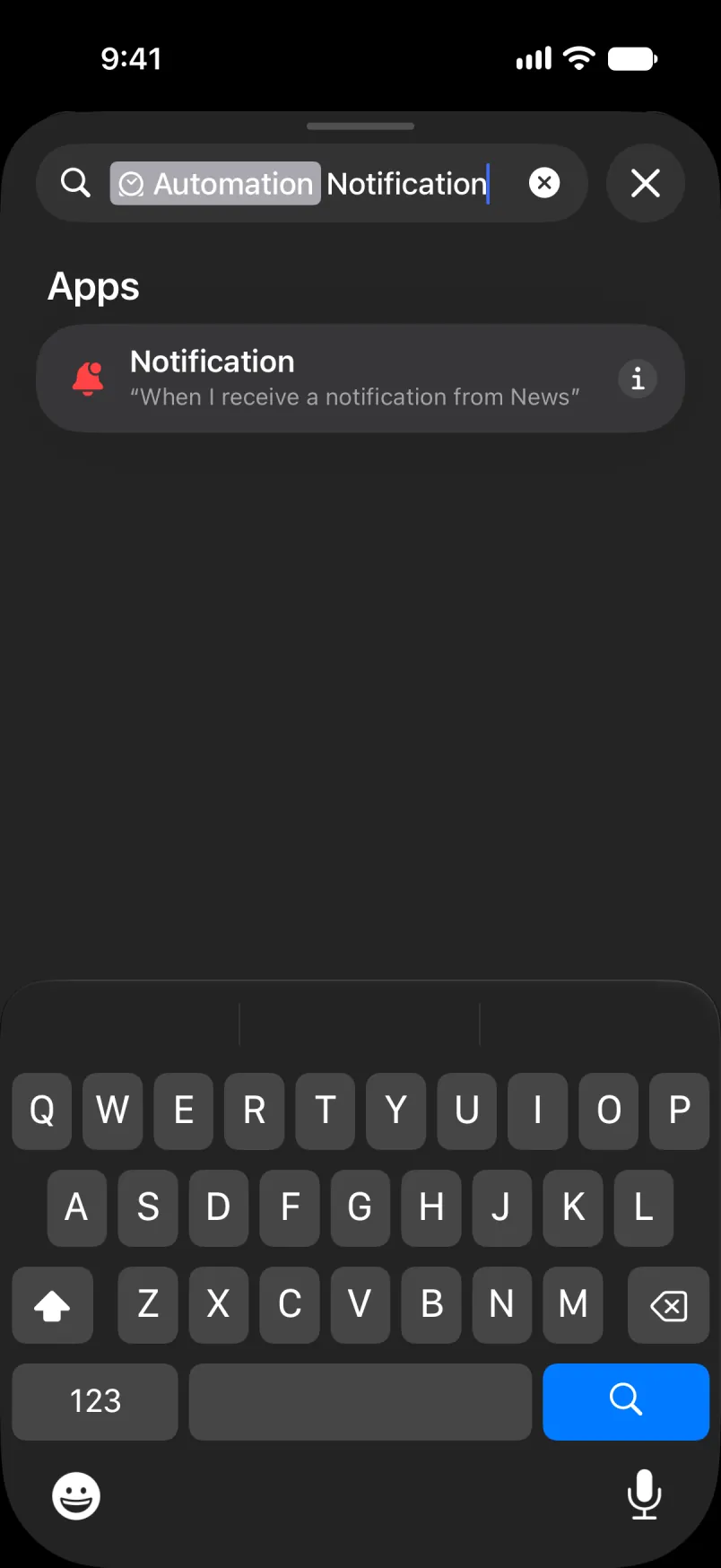
Bdu tawurmant tamaynut am zik: Library, Automation, +, Edit, Search, Automation. Aru Notification u sit fell-as.
Sit ɣef App, nadi ɣef Nordea Mobile u sit fell-as.
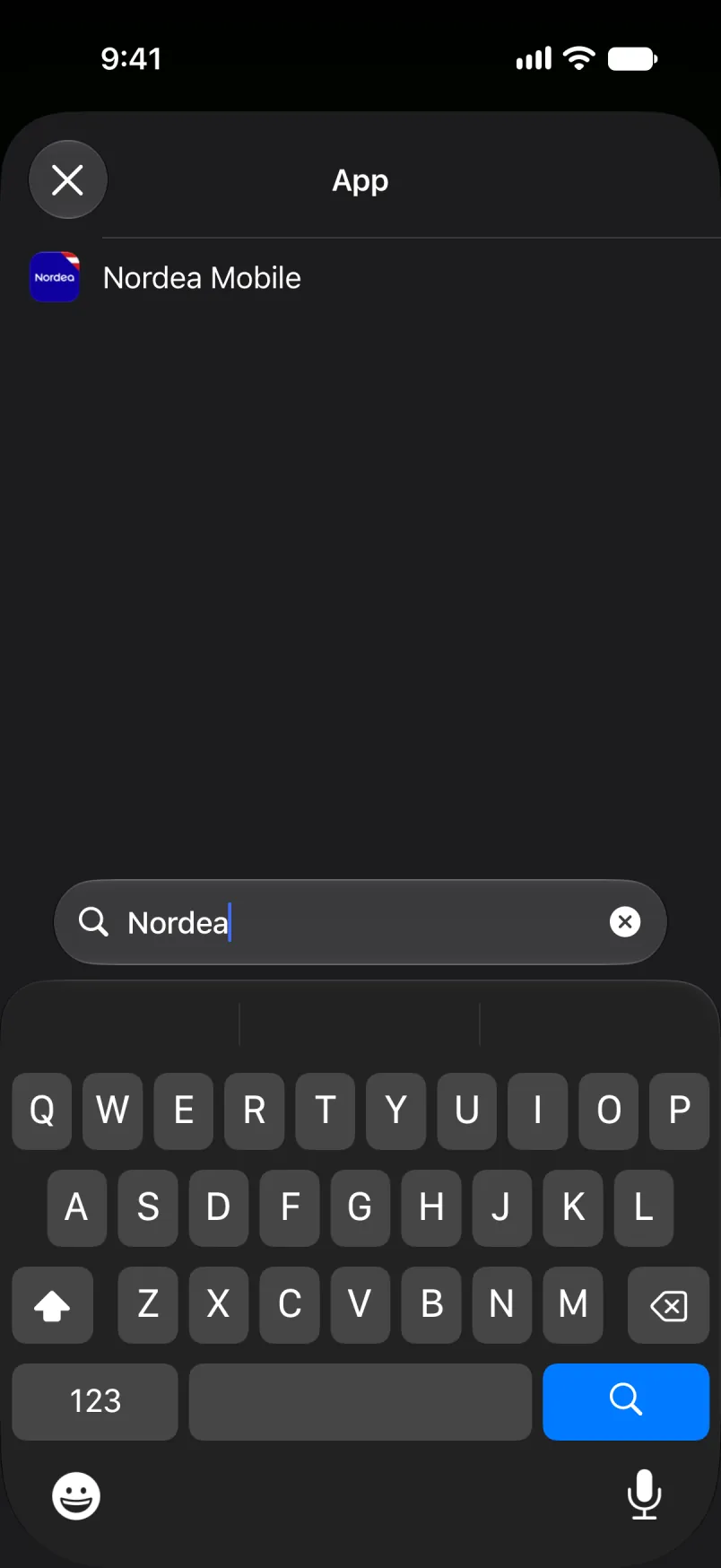
Eǧǧ amsizdeg ixwi, u eǧǧ Automation yettwarmed.
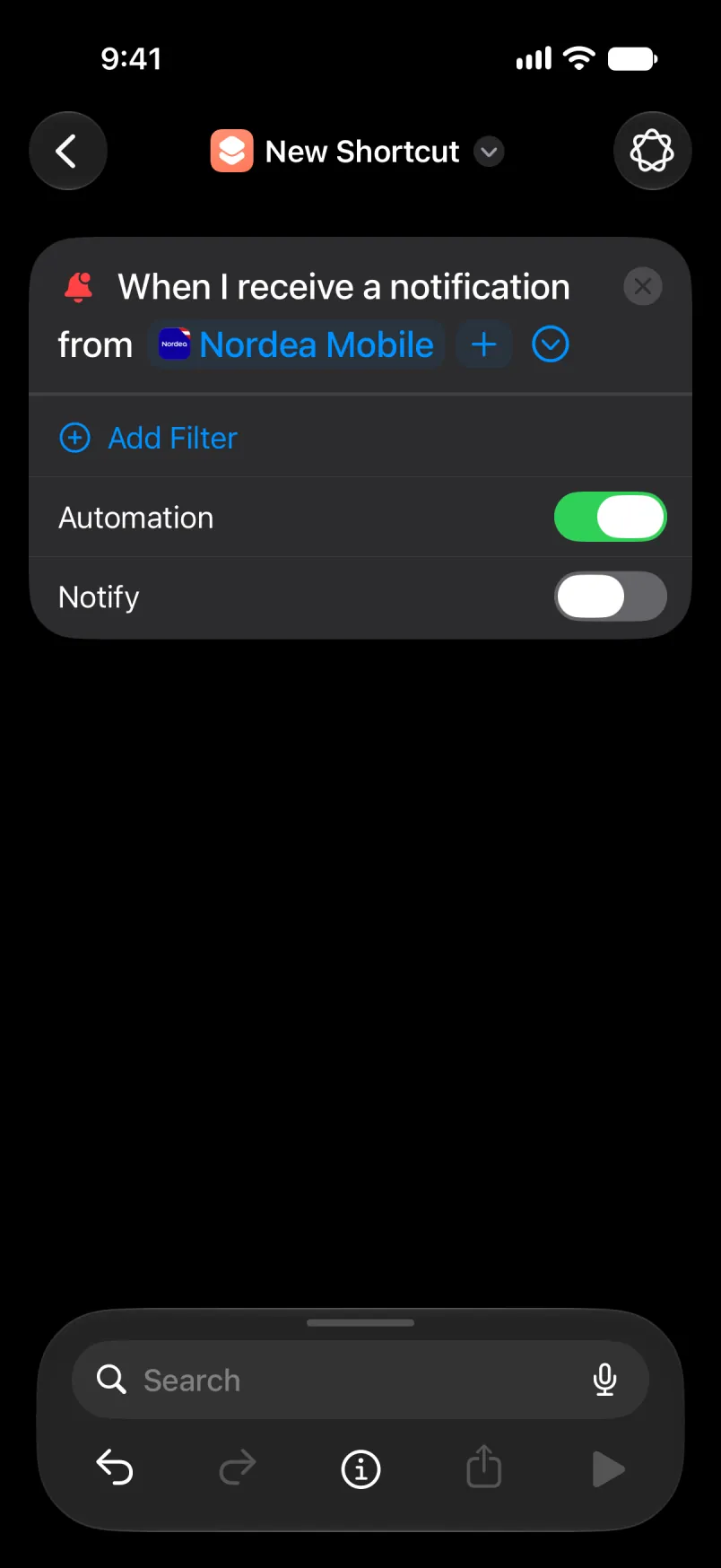
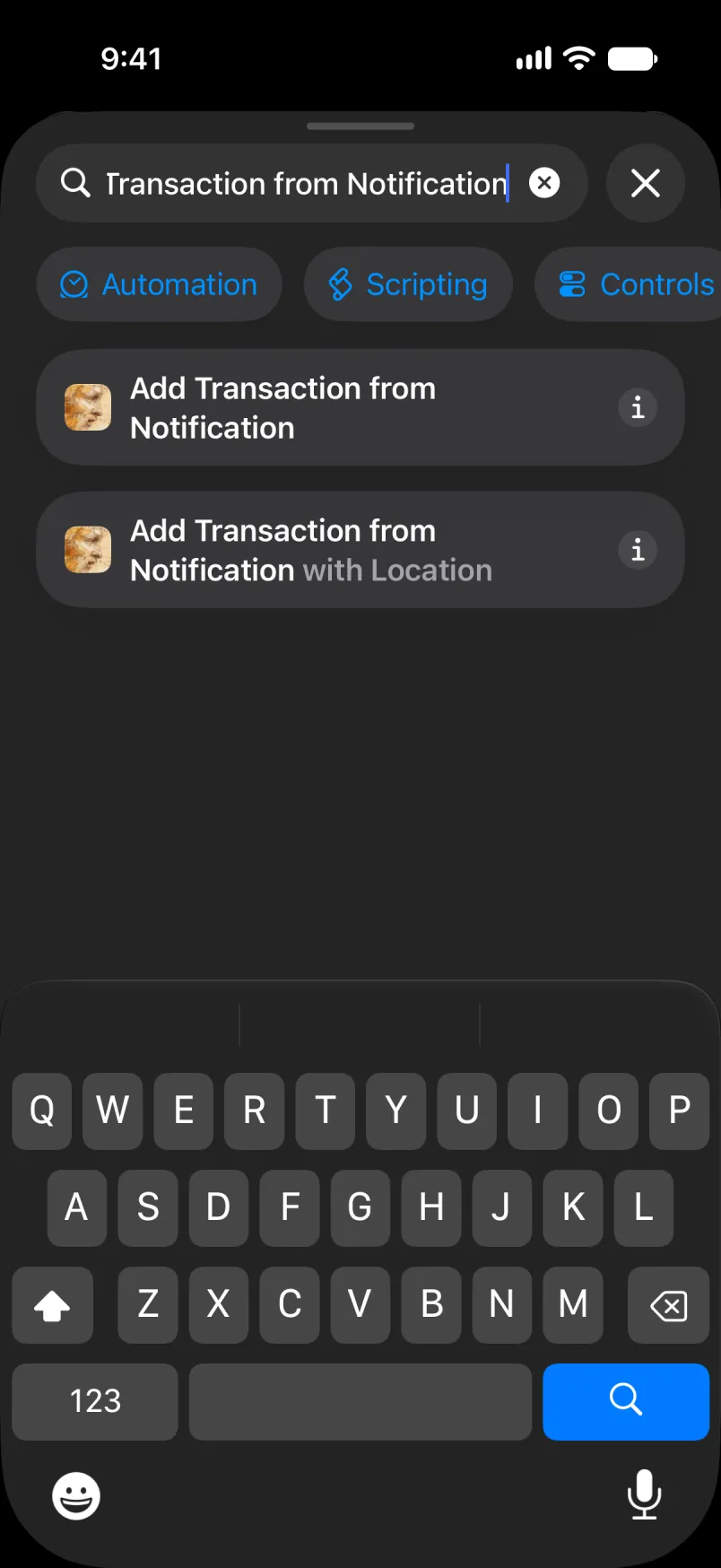
Nadi ɣef Add Transaction from Notification u sit ɣef umezwaru.
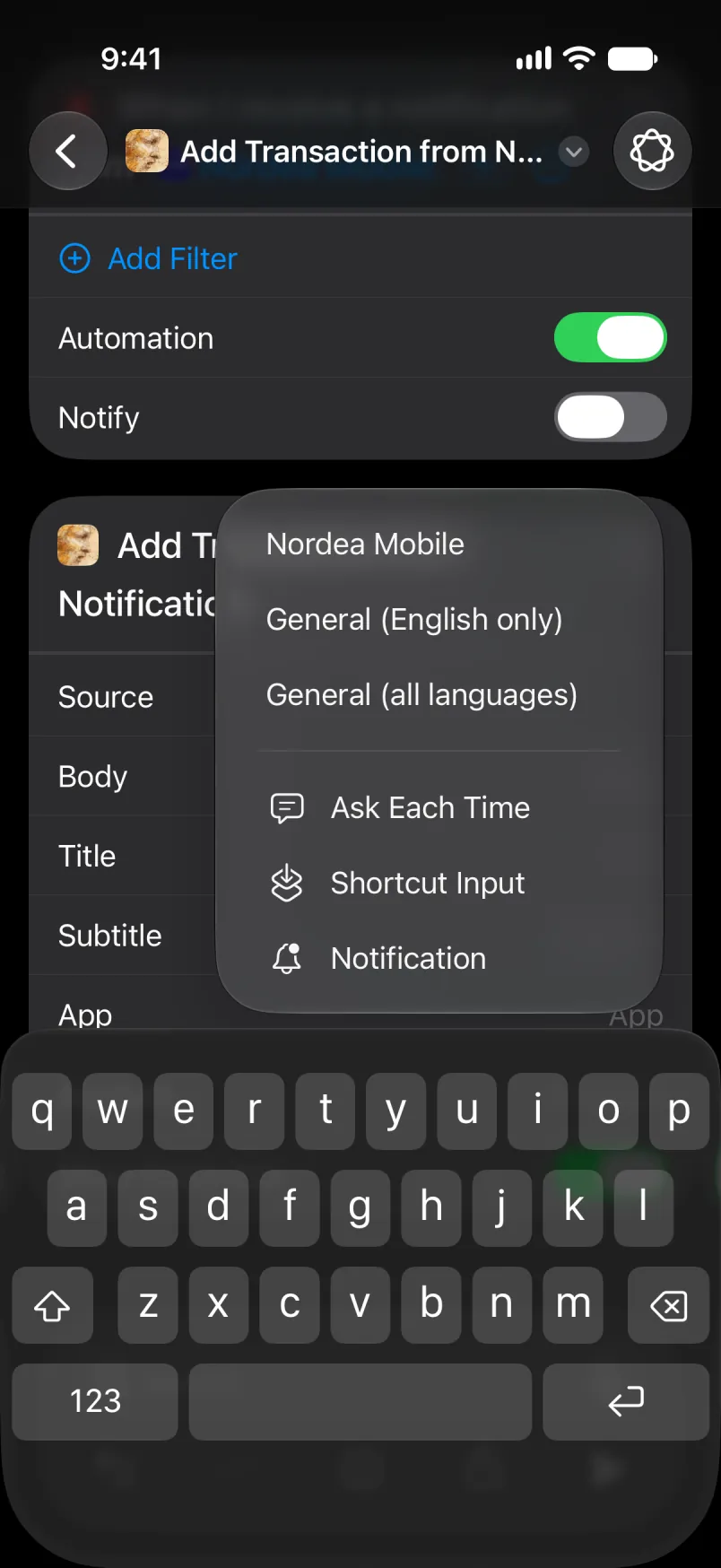
Sit ɣef Source u fren Nordea Mobile.
Sit ɣef Body, sakin Select Variable, sakin Notification. Sit ɣef wawal anili u fren Body. Xdem am wakken i Title, Subtitle d App.
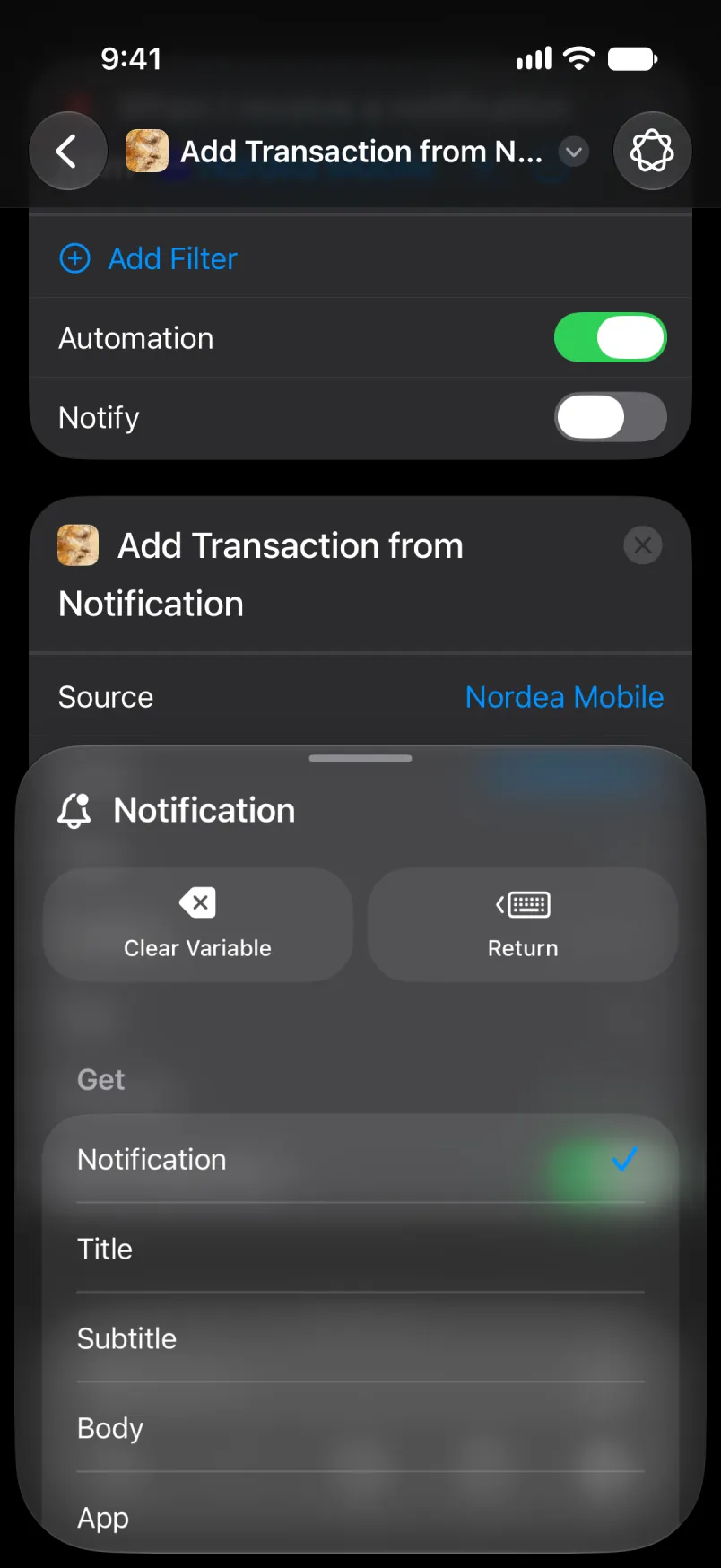
Tawurmant akk, seg ufella.
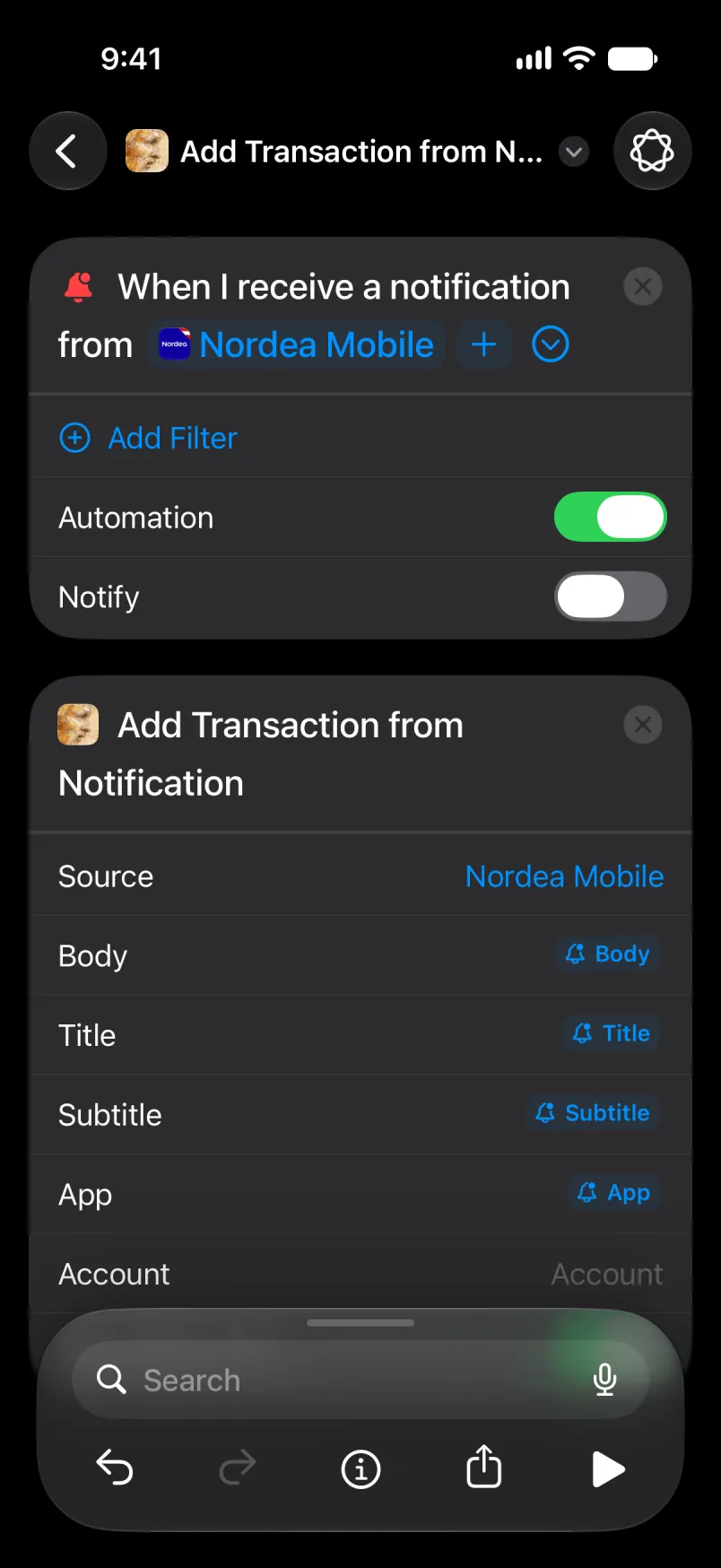
D tigawt akk. Sit ɣef taneccabt deg uzelmaḍ afella akken ad teskelseḍ, u tawurmant tamaynut ad d-tban deg tebdert.
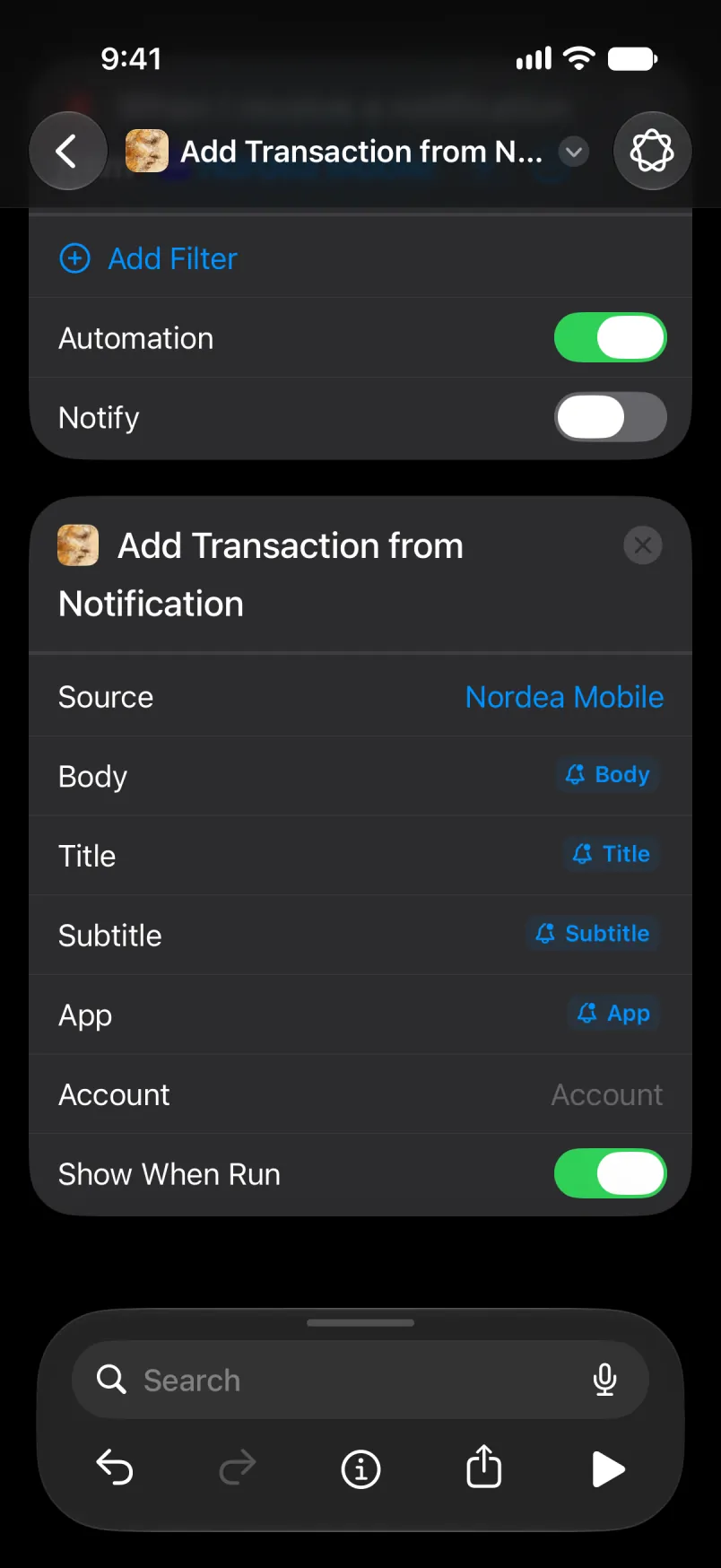
Eǧǧ Account ixwi i umiḍan-ik n lexṣas, neɣ aru isem n umiḍan. I Main d Shared, aru isem s Tanglizt, ula ma yella usnas-ik s tutlayt nniḍen. Isem yettwasuqlen, am Primær s Tadanemarkit, ur yemṣad ara ma tbeddleḍ tutlayt n usnas ɣer deffir: axelleṣ ad yeṛṛ ɣer umiḍan-ik n lexṣas, s yisem ddaw Talɣut yettwasekcmen. Amiḍan i tesnulfuḍ s yiman-ik yesɛa yiwen n yisem, win i s-tefkiḍ.
Eǧǧ yiwet n tawurmant i yal axelleṣ, ala snat n tiwurmanin n Nordea deg uḥric i d-iteddun. Axelleṣ n Apple Pay s wadrim n berra yezmer ad yebdu tawurmant n Wallet d tin n Nordea, u asexleṣ ad yettwasnulfu snat n tikkal. U ma ur yeddu ara yiwen n usurif, Shortcuts ad yeḥbes dinna u ulac ayen ara yettwaskelsen.
Mi ara yeddu
Ldi asnas. Abanir yesken azal s wadrim n berra.
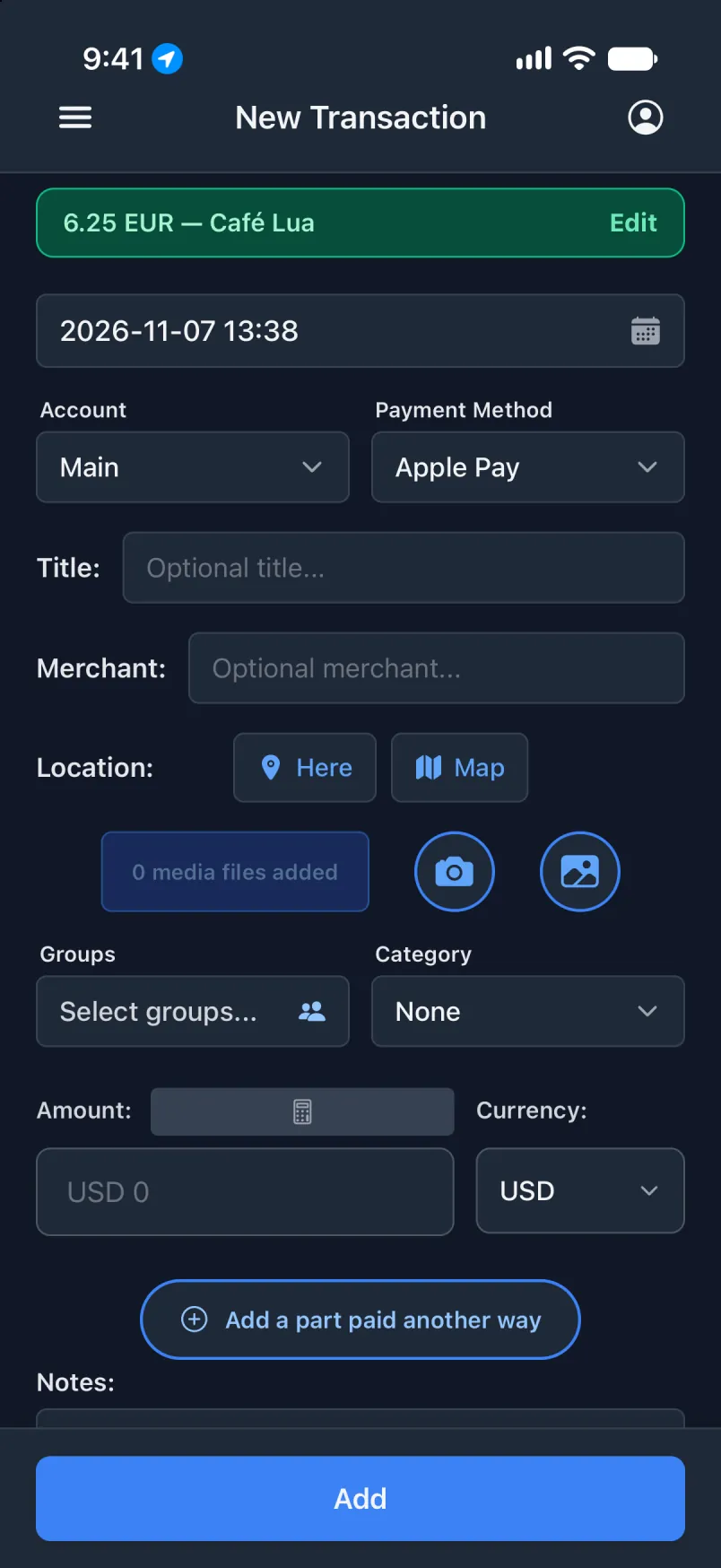
Ilɣu akk yettwaḥerz ddaw Talɣut yettwasekcmen.
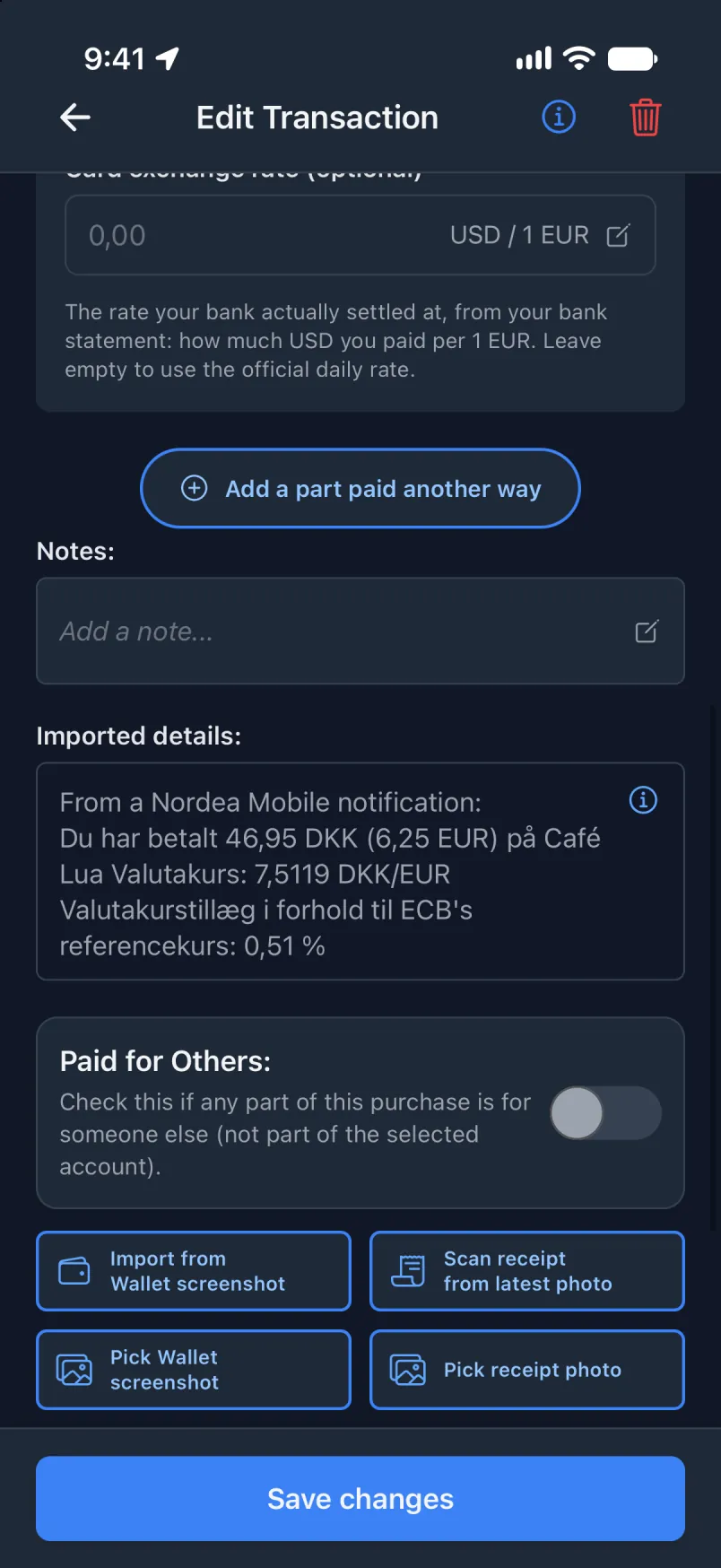
Tawurmant tettxeddem i yal ilɣu seg Nordea Mobile. Wid ur yellin d ixellaṣen ttwaɛeddan.
Ilɣu seg Nordea, s wadeg
Tawurmant-nni kan, d wanda i telli tilifun-ik mi d-yewweḍ ilɣu. Eǧǧ daɣen tin n ufella tettwarmed, am tarrayt n tɣellist. Mi yeddu usurif n wadeg, asnas yesekles axelleṣ yiwet n tikkelt, s wadeg. Mi ur yeddu ara, tin n ufella mazal tesekles axelleṣ, war adeg.
Tabanka neɣ asnas nniḍen? Yettxeddem s yiwen n wudem s General (English only) neɣ General (all languages): fren asnas-ik deg usenker u yiwen seg snat-agi ddaw Source. Ttɛerrḍent ad ɣrent yal asnas, u ad ttɣelṭent kra n tikkal.
Deg usnas Transaction
Ulac ayen amaynut da. Turagt kan i d-tefk i Shortcuts: While Using the App, s Precise Location yettwarmed, am deg tawurmant tamezwarut.
Deg Shortcuts
Snulfu asenker am wakken i d-yella ufella u rnu Get Current Location. Nadi ɣef with Location u sit ɣef Add Transaction from Notification with Location.
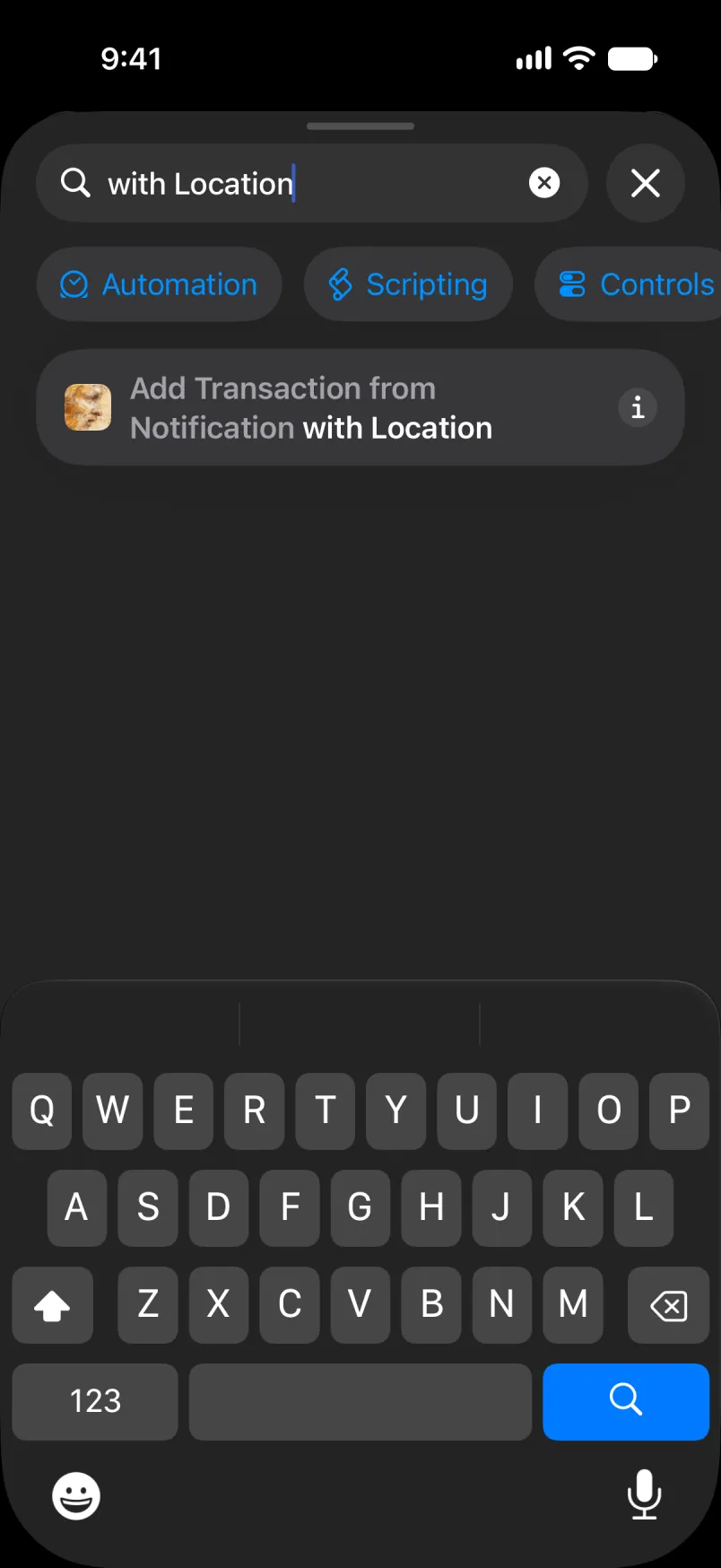
Tawurmant akk, seg ufella: asenker, Get Current Location, sakin tigawt.
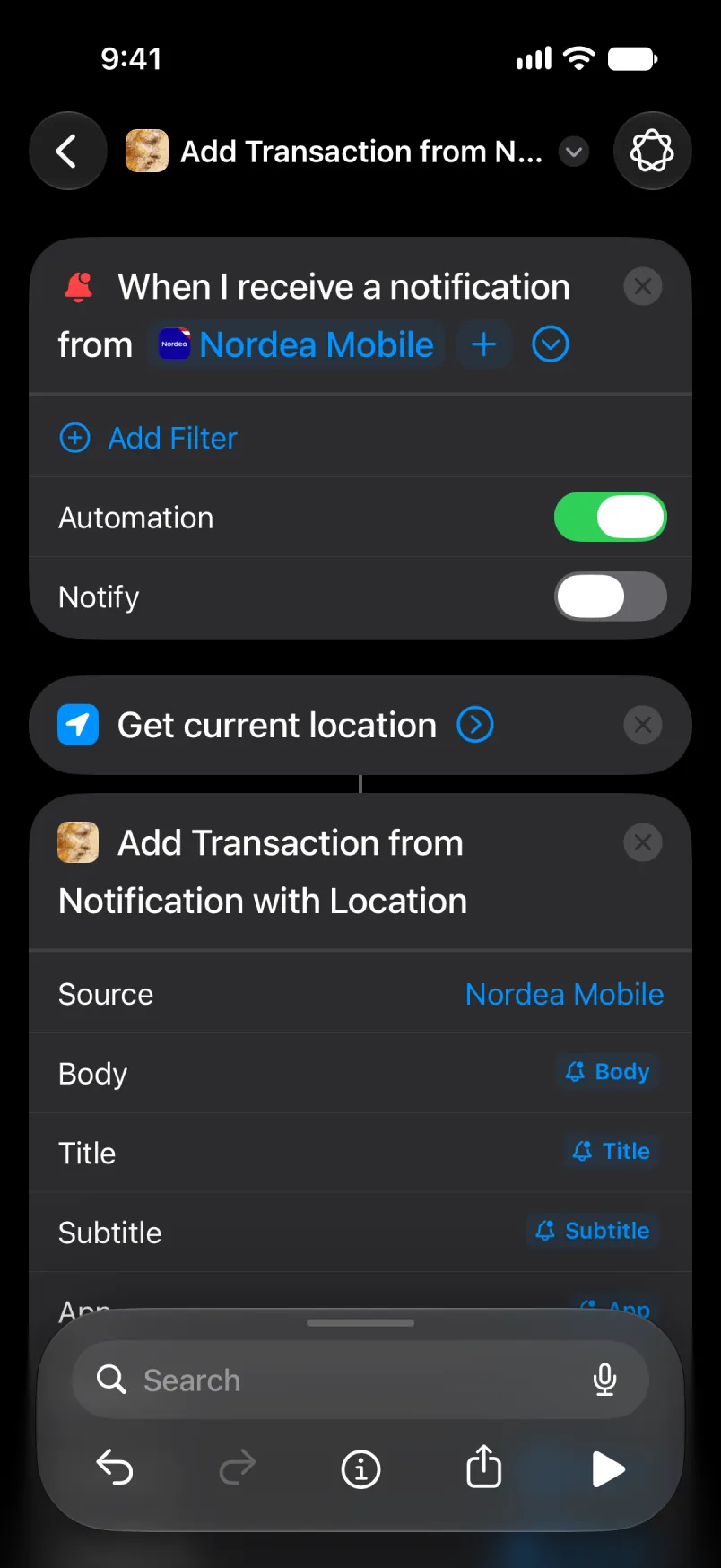
Ččar Source, Body, Title, Subtitle d App am wakken i d-yella ufella. Latitude d Longitude d-ddan seg Current Location. Sit ɣef taneccabt deg uzelmaḍ afella akken ad teskelseḍ.
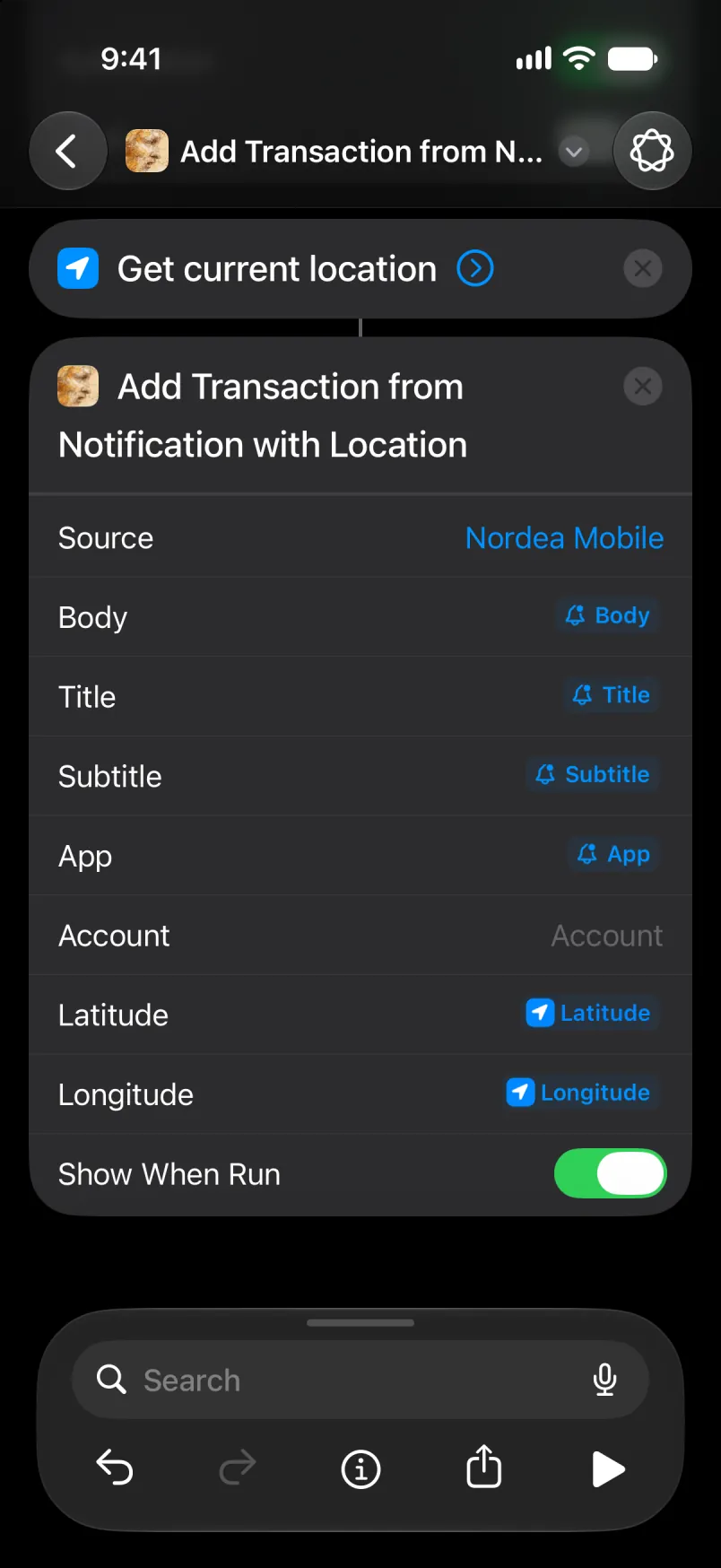
Tawurmant tamaynut ad d-tban deg tebdert, da d ukkuẓ n tiwurmanin akk. Snat n tiwurmanin n Nordea zemrent ad qimen ttwarmden.
Eǧǧ Account ixwi i umiḍan-ik n lexṣas, neɣ aru isem n umiḍan. I Main d Shared, aru isem s Tanglizt, ula ma yella usnas-ik s tutlayt nniḍen. Isem yettwasuqlen, am Primær s Tadanemarkit, ur yemṣad ara ma tbeddleḍ tutlayt n usnas ɣer deffir: axelleṣ ad yeṛṛ ɣer umiḍan-ik n lexṣas, s yisem ddaw Talɣut yettwasekcmen. Amiḍan i tesnulfuḍ s yiman-ik yesɛa yiwen n yisem, win i s-tefkiḍ.
Efk i snat n tiwurmanin n Nordea Source yiwen d Account yiwen. Ma ur emṣadent ara, axelleṣ ad yettwasekles snat n tikkal, u asnas ad k-yesseḥder belli yezmer ad yili d yiwen n uxelleṣ. Aya yezmer daɣen ad yeḍru ma tldiḍ asnas deg kra n tasinin gar snat.
Mi ara yeddu
Abanir, am zik.
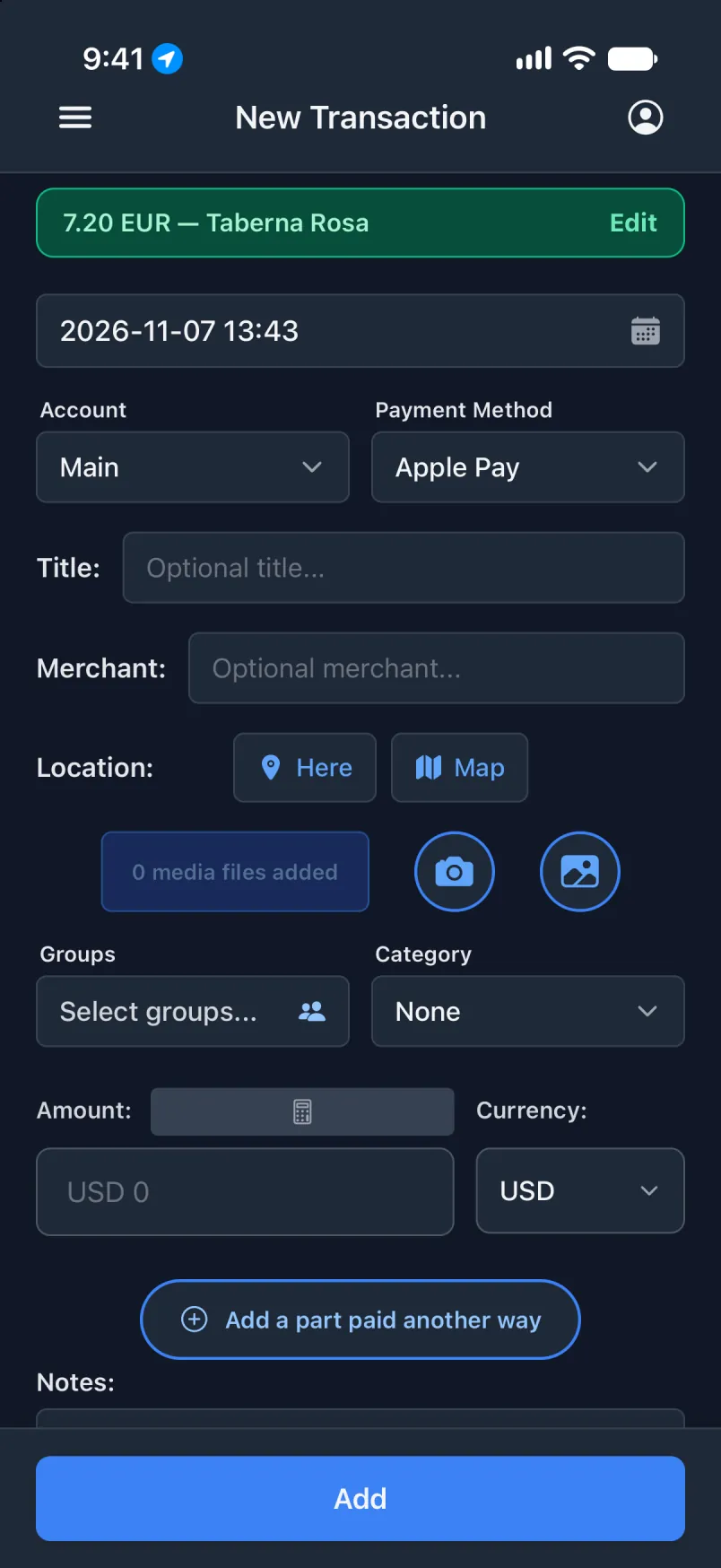
Sit ɣef Edit: Location yesɛa tansa.