
Export. Your data, whenever you want it.
Pick a period, tap a file, and it lands in the share sheet as a CSV file that Excel, Numbers and Google Sheets can open. As often as you like.
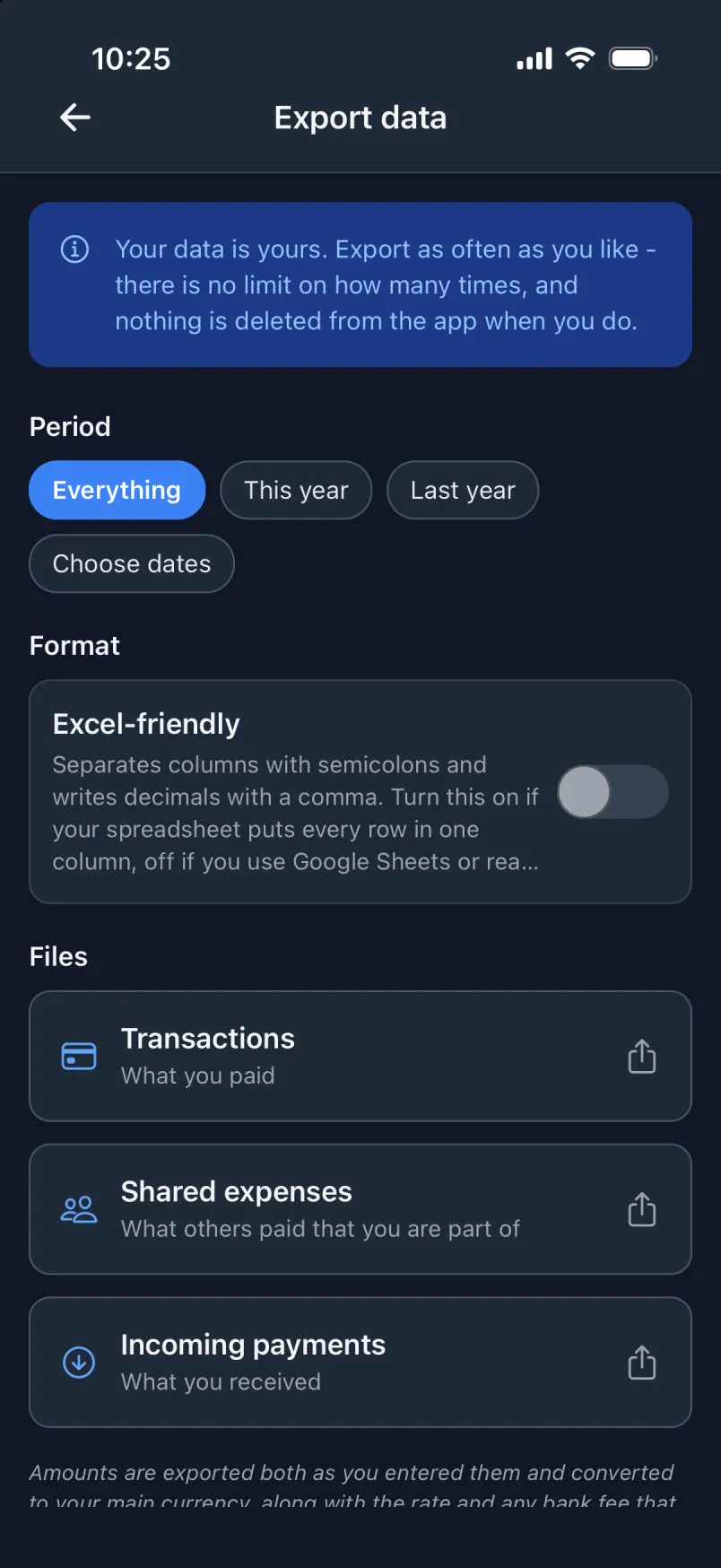
Three files
Each file is named after its period, so you can tell them apart later.
- Transactions
- What you paid.
- Shared expenses
- What others paid that you are part of.
- Incoming payments
- What you received.
What is in them
- The amount as you entered it, the converted amount, the rate and the fee, so the totals match what the app showed you.
- Account, payment method, category, groups, note and place, by name.
- An amount that cannot be converted yet is left empty, never written as 0.
Period and format
- Everything, this year, last year, or dates you choose.
- Excel-friendly: semicolons between the columns and a decimal comma, for spreadsheets that put every row in one column. It starts switched on when the app is in Danish.
- Column headers are in English, whatever the app’s language.
No limit. Nothing removed.
Export as often as you like. Nothing is deleted from the app when you do. You find it under Settings → Export data.