Litefo tse ipolokang.
Tefo e molemo ke eo u sa kang ua tlameha ho e ngola. E hlophise hang, ’me tefo e ’ngoe le e ’ngoe ea Apple Wallet (le litsebiso tsa tefo ho tsoa banka ea hao) e fetoha tefo e nang le lintlha tse ngata ho feta tseo banka ea hao e kileng ea li bontša.

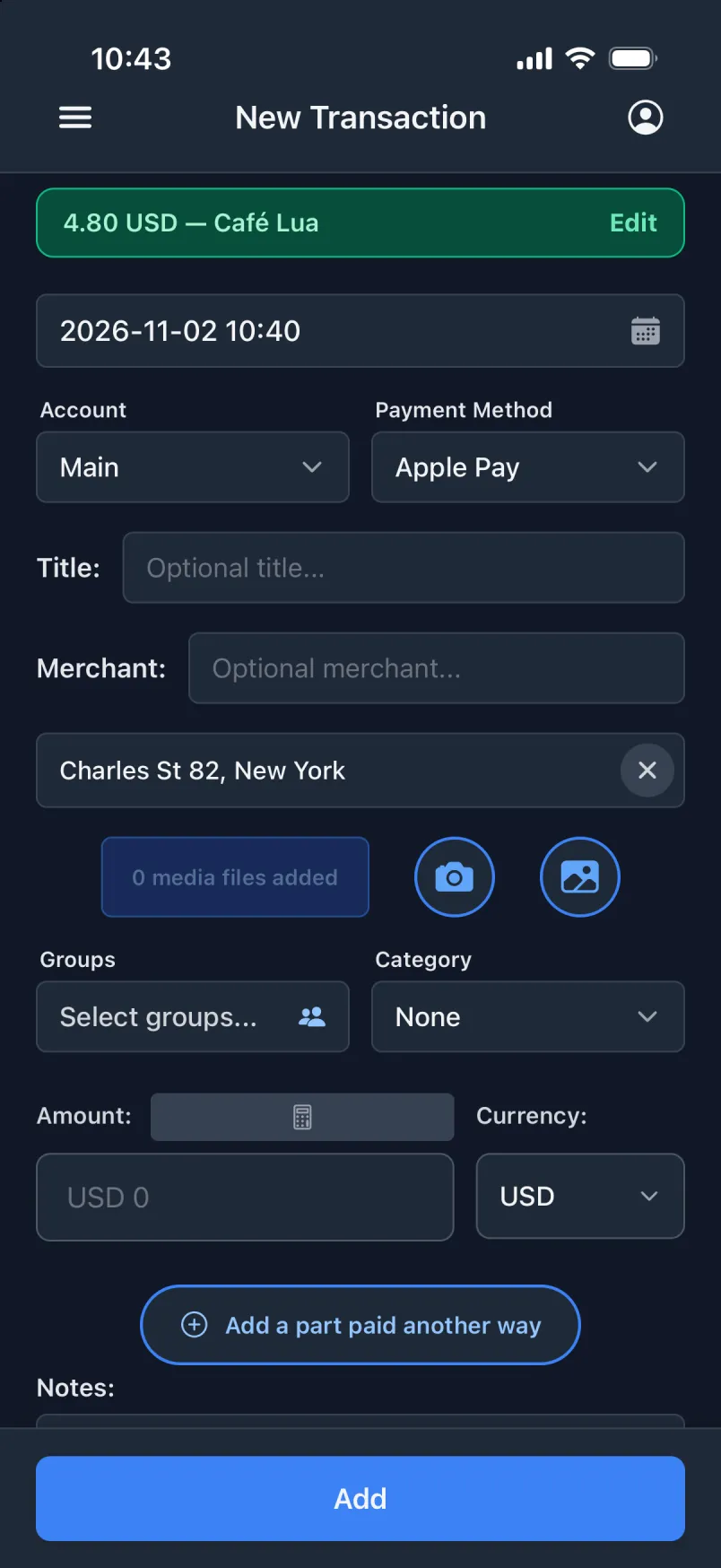
Seo u se fumanang seo banka ea hao e se siileng
- Nako
- Ho fihlela motsotsong, eseng letsatsi leo e ileng ea ngoloa ka lona.
- Sebaka
- Moo u neng u eme teng ha u lefa, le aterese.
- Karete le akhaonto
- Karete eo u e sebelisitseng, e behiloe tlas’a akhaonto e nepahetseng.
- Lebenkele
- E le sehlooho le lebenkele, e lokile bakeng sa noutse ea hao.
Apple Wallet, ka Shortcuts
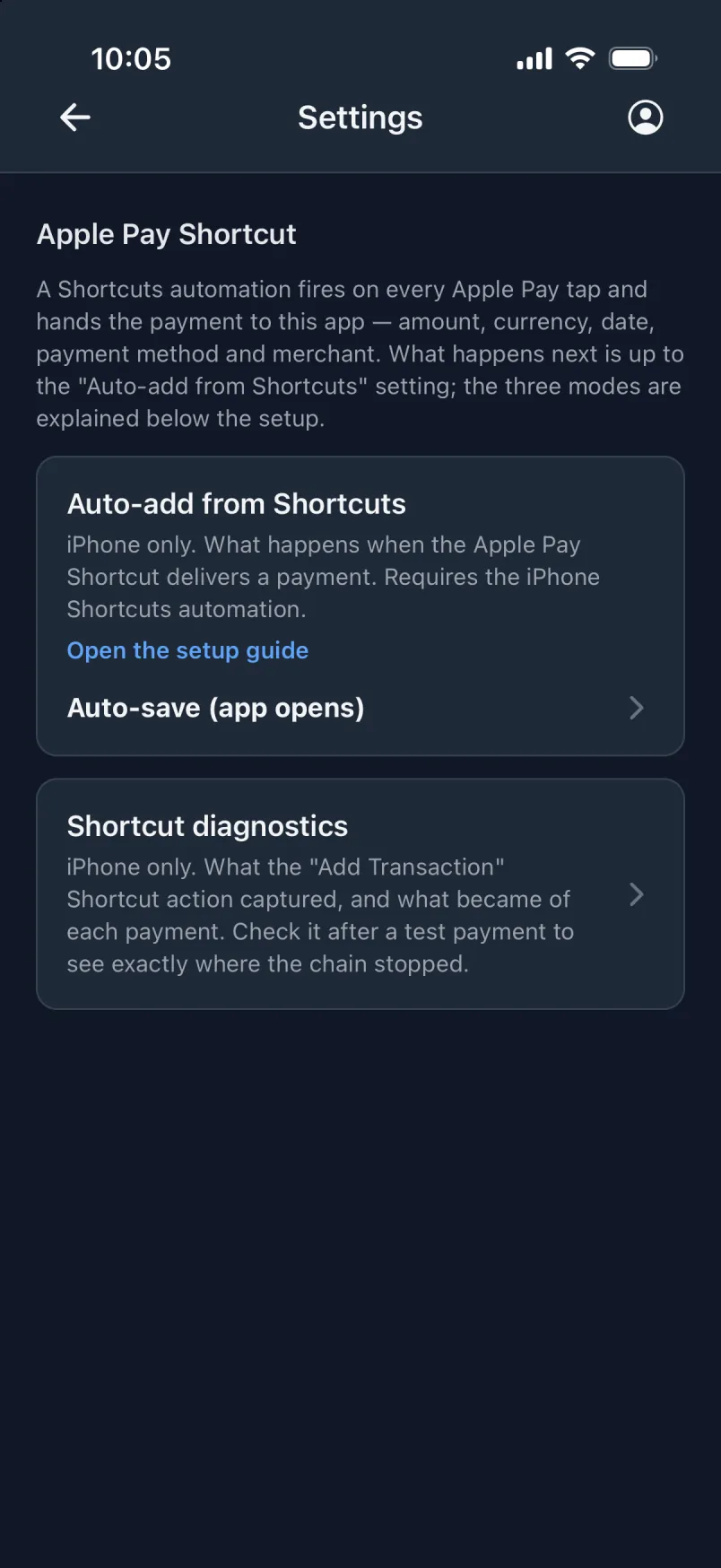
Automation ea Shortcuts e sebetsa ka nako e ’ngoe le e ’ngoe ha u lefa ka Apple Pay ’me e fetisetsa tefo ho app. Litlhophisong tsa app, u khetha e ’ngoe ea mekhoa e meraro. E ’ngoe le e ’ngoe e u etsetsa tse ngata ho feta e fetileng.
Ka boiketsiso ka halofo
Tlatsa foromo feela (app e a bula)
Tefo e tlatsoa foromong, ’me u e hlahloba ’me u tobetse Eketsa. App ha e ipule ka boeona: e boloke e bulehile ka morao, har’a li-app tseo u li bonang ha u hula skrini ho ea holimo.
Seo e se hlokang
- Mohala o notlolotsoe
- App e bulehile ka morao
- U tobetsa Eketsa
Hoo e batlang e le ka boiketsiso
Boloka ka boiketsiso (app e a bula)
Tefo e bolokoa hang-hang, ’me bannere e tala e bontša “4.80 USD · Café Lua”. Le mona, app ha e ipule ka boeona: e boloke e bulehile ka morao.
Seo e se hlokang
- Mohala o notlolotsoe
- App e bulehile ka morao
U tobetsa Eketsa
Ka boiketsiso ka ho feletseng
Boloka ka boiketsiso ka morao
E bolokoa mohaleng, esita le ha o notletsoe le ha u lefa ka Apple Watch. Bula app hamorao, ’me bannere e tala e bontša seo se kenileng.
Seo e se hlokang
Mohala o notlolotsoeApp e bulehile ka moraoU tobetsa Eketsa
E hlophise ho
- Bula app ea Shortcuts → Automation → + ’me u khethe sesosa sa Wallet.
- Khetha likarete tsa hao, boloka mefuta eohle, ’me u khethe “Run Immediately”.
- Etsa shortcut e ncha, e se nang letho ’me u kenye “Get Current Location”, ebe “Add Transaction” ea app.
- E fe Amount, Merchant le Card ho tsoa ho Shortcut Input, le Latitude le Longitude ho tsoa sebakeng. Ho phethiloe.
- Ho app, beha Litlhophiso → Eketsa ka boiketsiso ho tsoa ho Shortcuts ho “Boloka ka boiketsiso ka morao”.
- Lefa tefo e nyenyane, ea ’nete ho e leka. Li-automation tsa Wallet ha li khone ho tsamaisoa ka letsoho.
Mehato ena e hlophisa mokhoa oa ka morao. Mehato ea tse peli tse ling e ho app, tlas’a Litlhophiso → Shortcut ea Apple Pay. Automation e le ’ngoe ka karete e behela litefo tsa karete ka ’ngoe ho akhaonto e nepahetseng.
Sheba mohato o mong le o mong, ka li-screenshotLitsebiso tsa tefo
Li-app tsa hao tsa banka le wallet li se li u joetsa ka tefo e ’ngoe le e ’ngoe. Ho Android, fa Transaction tumello ea ho fihlella litsebiso hang, ’me u khethe Litlhophisong hore na ho etsahala eng ka tefo e ’ngoe le e ’ngoe eo e e tšoarang: emela konopo ea ho kenya, tlatsa foromo, kapa e boloke hang-hang. Lefa ka karete ea hao kapa Google Pay, bula app, ’me tefo e teng. App ha e hloke le ho ba e bulehile ha u lefa.
Ho iPhone, tefo e ka boela ea etsoa ho tsoa litsebisong tsa app ea hao ea banka, ha u se u hlophisitse automation ho app ea Shortcuts. Mehato e Litlhophisong tsa app.
E hahiloe hore e se ke ea lahleheloa ke tefo
- Tefo e entsoeng ke automation e fumana lebokose le leng la mongolo, “Lintlha tse kentsoeng”. E boloka tsohle tseo automation e li rometseng tse se nang lebala la tsona, lentsoe ka lentsoe, e le hore u kamehla u bone hantle seo se kenileng. E lula e arohane le linoutse tsa hao.
- Li-automation tse peli li tšoere tefo e tšoanang? App e e tšoaea e le “Mohlomong ke tefo e le nngoe habeli”.
- Lenane la “Tse sa tsoa ekeletsoa” le bontša seo se kenileng ho tloha ha u qetela ho sheba.
- Litsebiso li baloa mohaleng. Ke litefo feela tse bolokoang.
Ha ho na automation? E ntse e potlaka.
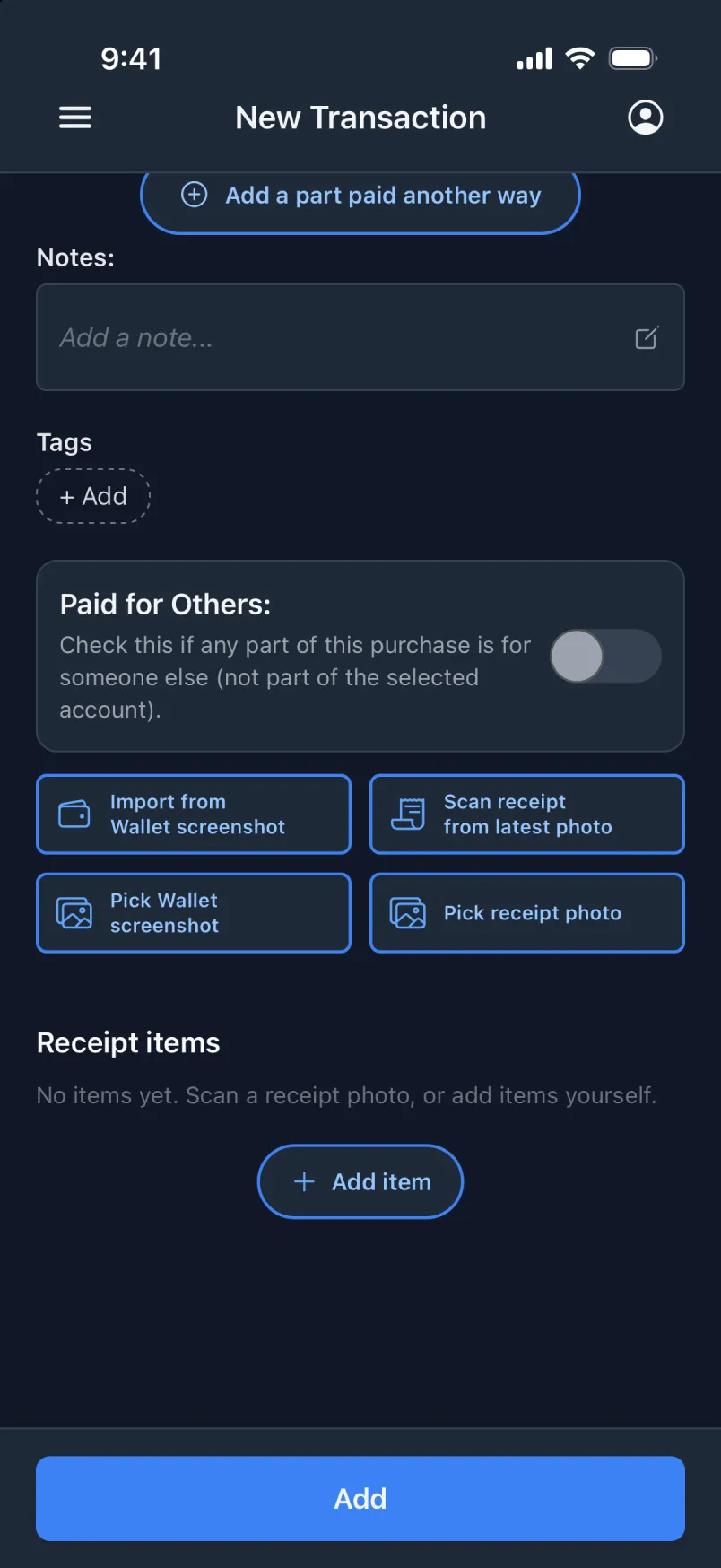
- Kenya ho tsoa ho screenshot ea Wallet, kapa u khethe e ’ngoe laeboraring ea hao (iPhone).
- Arolelana rasiti ea MobilePay ho app (iPhone).
- Skena rasiti ho tsoa foto ea hao ea ho qetela.