
Templet. One tap, one payment.
Templet na kolo square for top of di skrin wey yu dey take mek payment. E hold whole payment: tap am, an di form go fill in, or dem go mek di payment wan-taim.
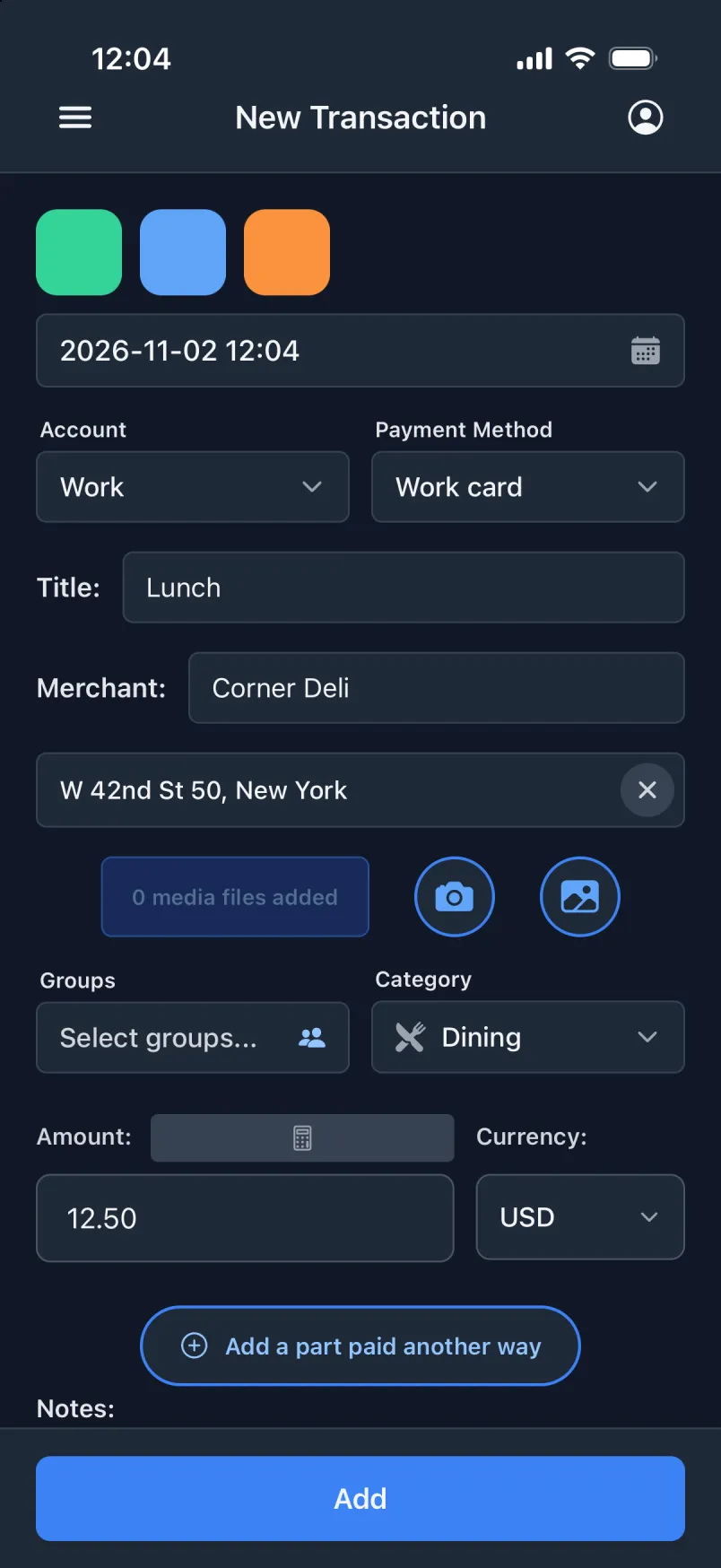
Two ways wey yu fit tap
- Fill di form
- Di form go fill in from di templet, an yu go check am bifor yu tap Add. If yu don already type somtin yorsef, dem go ask yu bifor dem replace am.
- Mek am wan-taim
- Dem go sev di payment di moment wey yu tap, an green banner na di only sign. E need amaunt for transakshon, an pesin wey pay for shared spend or moni wey enta.
Wetin templet dey remember
- Akaunt, hau yu pay, taitul, shop, amaunt, kurensi, kategori, grup an risit lain.
- Di taim: di moment wey yu tap, or fiks taim for di day wey yu tap, like lonch for 11:30.
- Di ples: anywhere wey yu dey when yu tap, or always di sem ples.
- Im own kolo, so yu fit find am without to read.
Where dem dey
- Each create skrin get im own: transakshon, shared spend an moni wey enta.
- Press an hold square to edit im templet.
- Mek, arrange an komot dem for Setin → Templet.
- Di squares dey work offline. To mek an change templet need konekshon.
Dem mek am for wetin nothing else dey catch
Lonch wey yu pay wit yor work ID kad no be Apple Pay, so no automation dey see am. Wit templet wey dey mek payment wan-taim, na one tap for day.